EasyManua.ls Logo

Elmo ST-1200 D - To Connect the Recording Source to AUX. in Jack

Elmo ST-1200 D
44 pages
Print Icon
To Next Page IconTo Next Page
To Previous Page IconTo Previous Page
Loading...
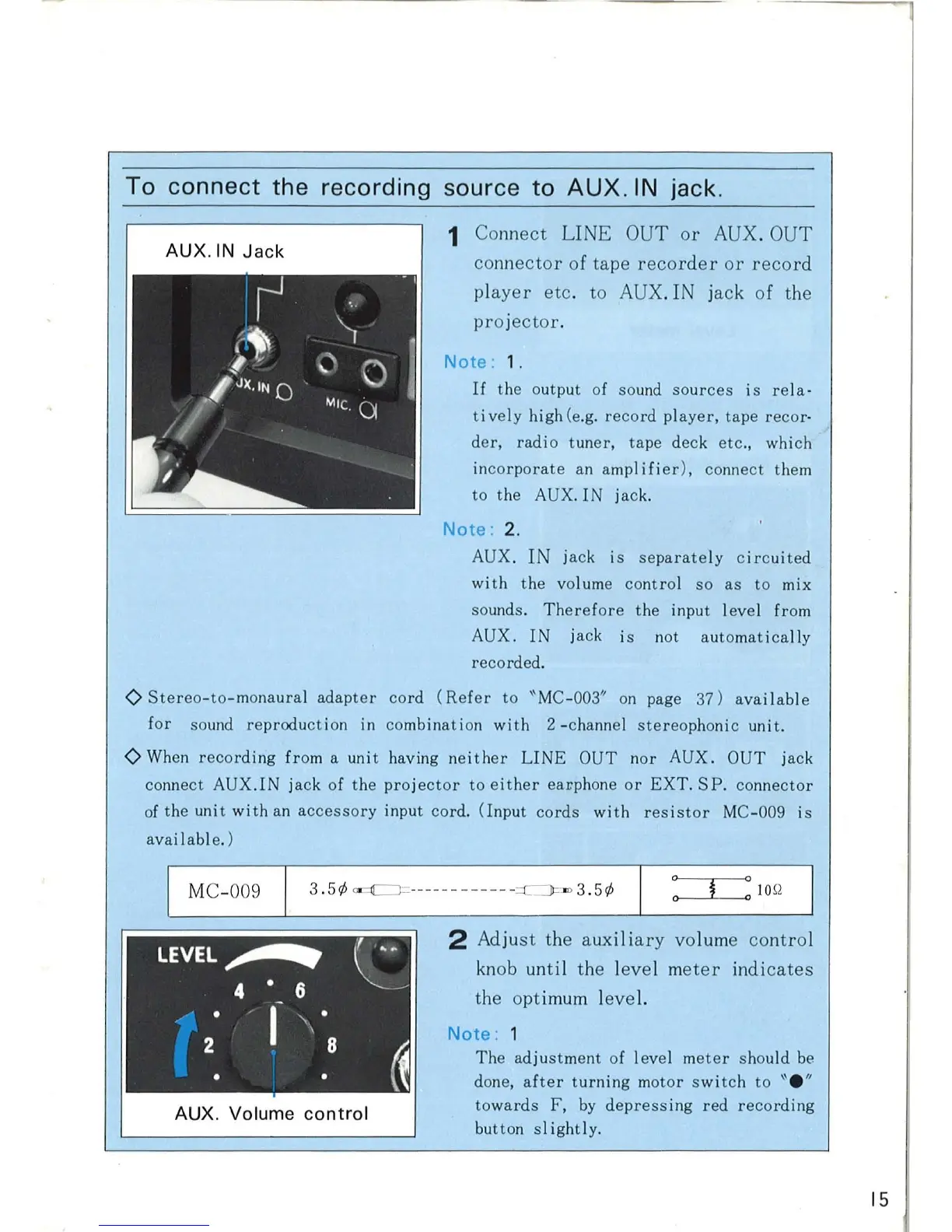
To connect the recording source to
AUX
. IN
jack
.
AUX.IN
Jack
1 Connect LINE OUT
or
AUX. OUT
connector of tape
recorder
or
record
player
etc. to
AUX
. I jack of the
projector
.
Note
: 1.
If
the output of sound
sources
is
rela·
ti
vely
high (e.g.
record
player,
tape
recor
·
der,
radio
tuner,
tape
deck etc.,
which
incorporate
an amp
lifi
er),
connect them
to
the AUX.
IN
jack.
Note
: 2.
AUX.
IN
ja
ck
is
separate
ly
circuited
wi
th
the
vol ume
control
so
as
to
mix
sounds.
Therefore
the
input level from
AUX.
IN
jack is not
automatica
lly
recorded.
<>
Stereo-to-monaural
adapter
cord
(Re
f
er
to
"MC
-00
3"
on
page
37)
avai
lable
for
sound
reproduction
in combina
tion
with
2 -channel
stereop
h
on
ic
unit.
<>
When
recording
from a
unit
havi
ng
neither
LINE
OUT
nor
AUX.
OUT
jack
connect
AUX.IN
jack of
the
pro
j
ector
to
either
eaL"phone
or
EXT
.
SP.
connector
of
the
unit
with
an
accessory
input
cord
.
(Input
cords
with
resistor
MC-009
is
avai I abl e. )
I MC-009
3 .
5</;
~
-
----
-
--
---
-
=c:=J
=m 3.
5</;
AUX. Volume
control
2 Adjust the auxili
ary
volume
contro
l
knob until the level
meter
indicates
the opt
imum
leve
l.
Note
:
The
ad
j
ustment
of
level
meter
shou
ld
be
done,
after
turning
motor
swi
tch
to
"e"
towards
F,
by
depressing
red
recording
button
sl
ightly.
15