EasyManua.ls Logo

Elmo ST-1200 D - Normal Recording Technique

Elmo ST-1200 D
44 pages
Print Icon
To Next Page IconTo Next Page
To Previous Page IconTo Previous Page
Loading...
18
Recording Technic
Normal Recording
+R
ecord
in
g to the non-r
ecor
ded fi lm
or
re-r
eco
rding
aft
er
eras
ing.
NORMAL
,
....
r"
I DOUBLE
REC.
,
REC.
I
~
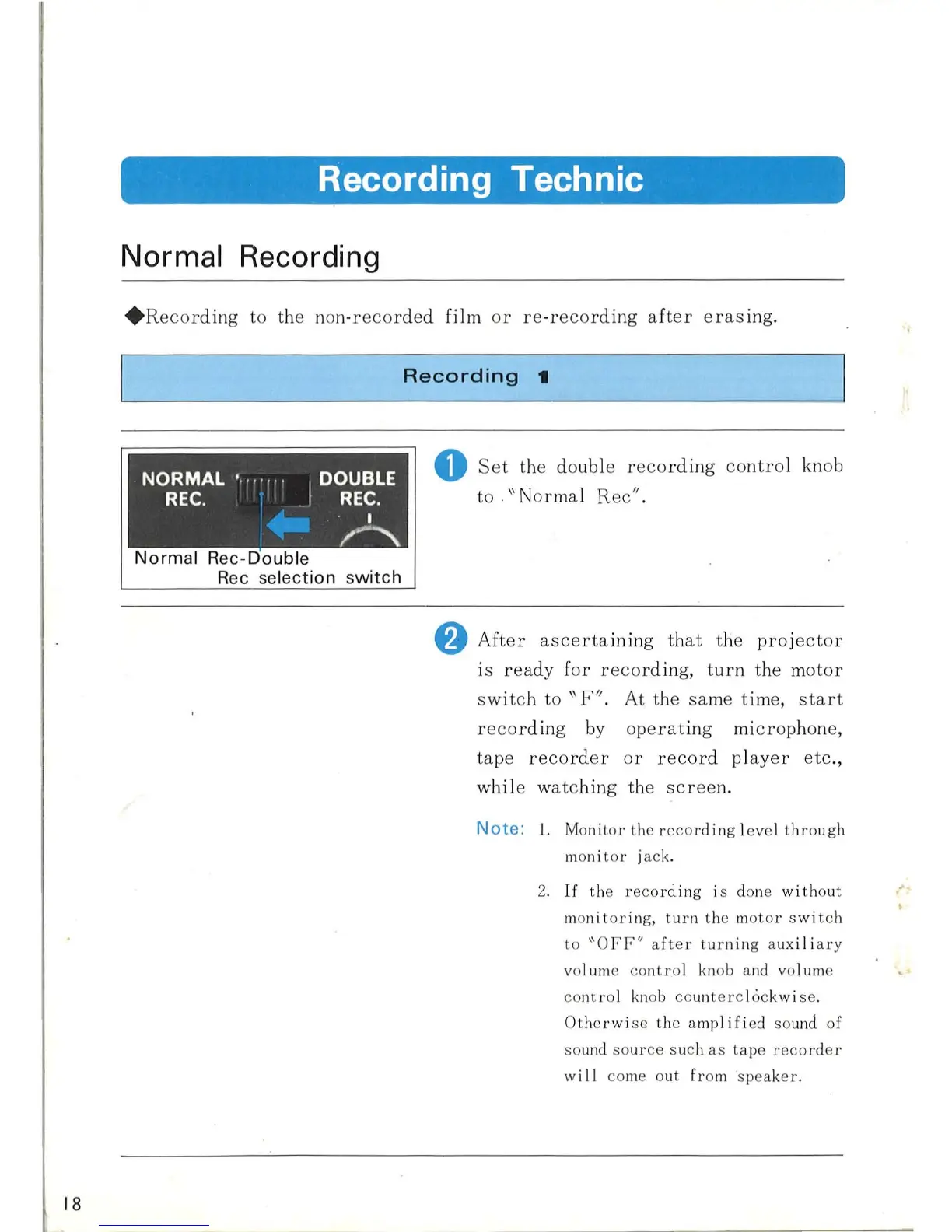
Normal Rec -Double
Rec selection switch
Recording
t
o
Set
the double
recording
contro
l knob
to .
\\
Normal Rec".
f)
After
ascertaining
th
at
the
pro
j
ec
t
or
is
ready
for
re
cor
ding, t
urn
the m
otor
s
witc
h to
"F"
. At the
sa
me time,
start
record
in
g
by
operat
ing mi
crop
hone,
tape
record
er
or
record
pl
ayer
etc.,
while w
atc
hing the
screen.
Note
:
1.
Moni
tor
the r
eco
rding
l
eve
l t
hr
ough
mon i
tor
j
ac
k.
2.
If
th
e r
ecor
ding is done
without
moni
tor
ing,
turn
th
e m
oto
r
sw
i
tch
to
"OFF"
af
ter
turn
ing auxil ia ry
vol
um
e co
nt
rol
kn
ob and vol
um
e
co
n
tro
l
kn
ob
co
unt
erc
l6ckw i
se
.
Ot
he
rwi
se
th
e amp
lifi
ed
so
und of
so
und
so
ur
ce
such
as
t
ape
r
ecorder
wi
II
co
me o
ut
fr
om
spea
ker.

Related product manuals