EasyManua.ls Logo

Elmo ST-1200 D - Connection to Microphone Jack

Elmo ST-1200 D
44 pages
Print Icon
To Next Page IconTo Next Page
To Previous Page IconTo Previous Page
Loading...
16
£/1'10
I
.•
•
,z
wr
-~----
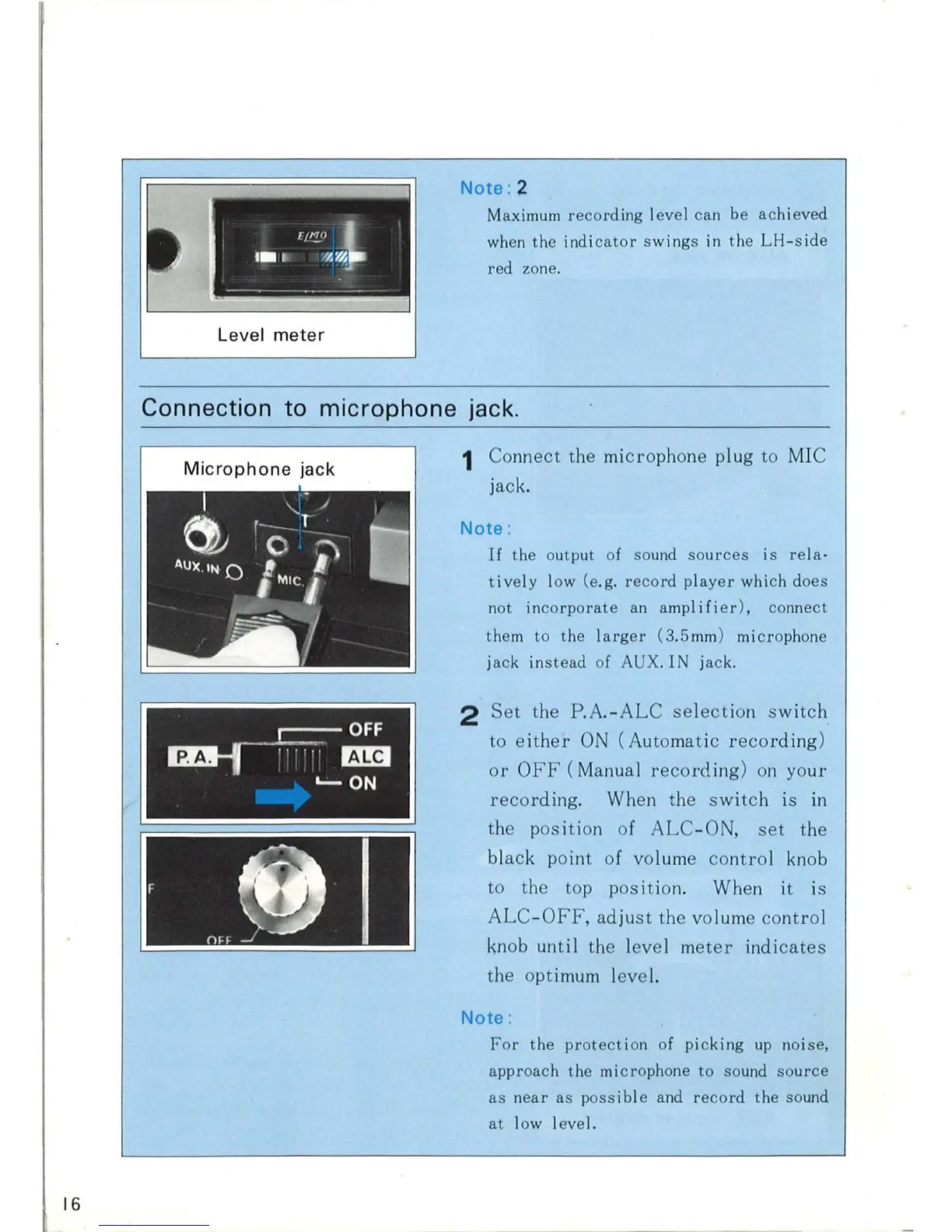
Level
meter
Note
: 2
Maximum
recording
level
can
be
achieved
when
the
indicator
swings
in
the
LH-side
red
zone.
Connection
to
microphone
jack.
Microphone
jack
I <-
~
~
'O
T
;:)
•
AUX
.
1N
0 I
MIC/
.......JIi
1
~
OFF
rzw-.r
,,,,
..
BH
'-'-
ON
1 Connect the microphone plug to MIC
jack.
Note
:
If
the
output of sound
sources
is
rela
·
tively
low (e.g.
record
player
which does
not
incorporate
an
amp I i
fier),
connect
them
to
the
l
arger
(3
.5mm) microphone
ja
ck
instead
of AUX. IN
jack
.
2
Set
the
P.A.-ALC
selection
sw
it
ch
to
either
ON
(Automatic
recording)
or
OFF
(Manua
l
recording)
on
your
recording
. When the
switch
is
in
the position of
ALC
-O
,
set
the
black point of volume
contro
l knob
to the top
position
. When it is
ALC
-OF
F,
adjust
the volume
contro
l
knob until the
level
meter
indicates
the optimum level.
Note
:
For
the
protection
of
picking
up
noise,
approach
the
microphone
to
sound
source
as
near
as
possible
and
record
the
sound
at
low
level.