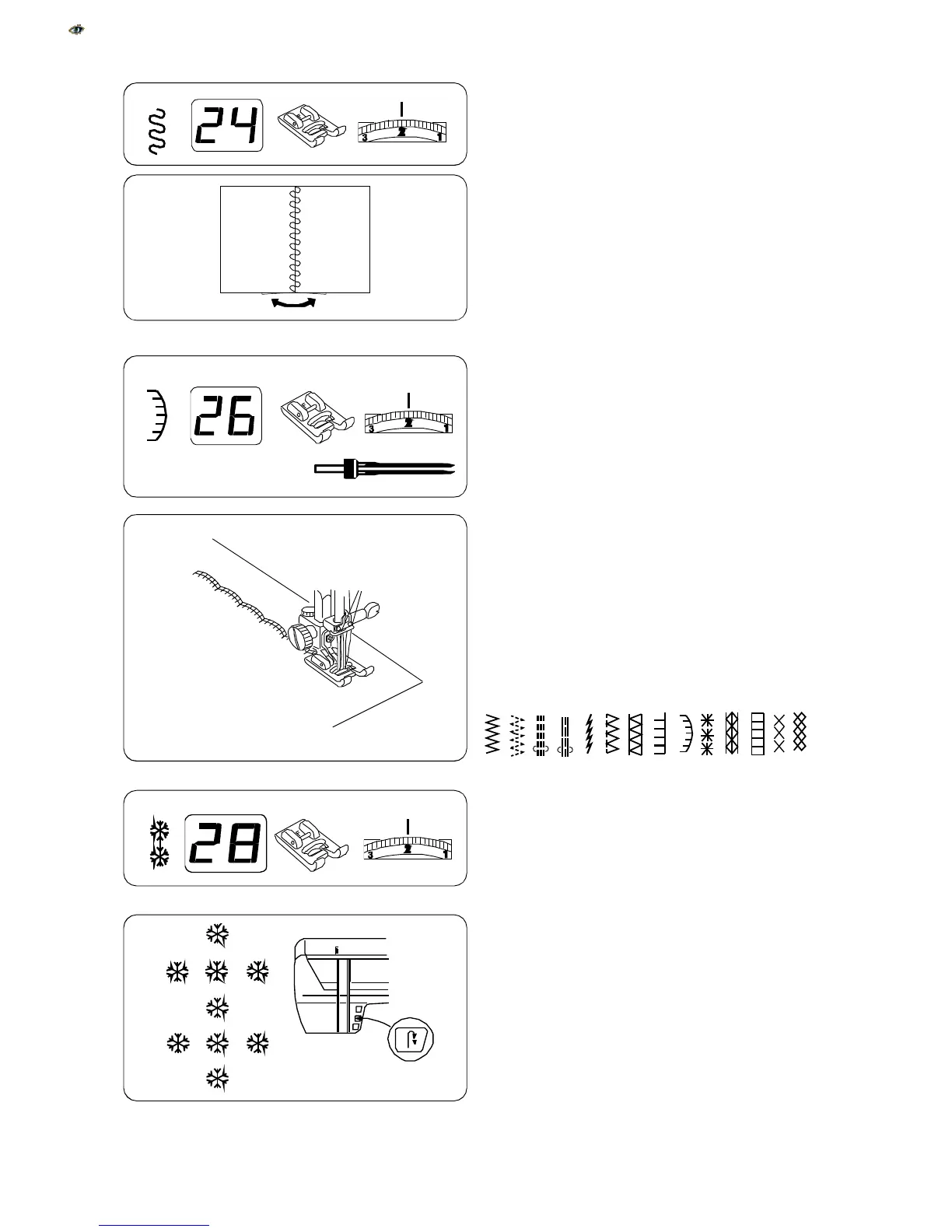
Patchwork
Sew a straight stitch seam and press seam allow-
ance open. Sew patchwork stitch on right side of
garment centering it over the seam.
These stitches can also be used:
Twin Needle Decorative Stitches
Sew decorative stitches with a twin needle and two
different needle thread colors.
Turn off power switch and insert twin needle. Thread
machine. See page 29.
Decrease stitch width to 3.5 or less.
NOTE:
Twin needles are available in many different
sizes and widths. If you use a twin needle wider than
2.0 mm, hand turn the flywheel to make sure the
needles will not hit the foot before sewing.
Sew.
These stitches can also be used:
Single Pattern – Auto-Lock Key
It is possible to sew a single pattern for a decorative
effect.
Place fabric and stabilizer under presser foot and
lower presser foot. Begin sewing and immediately
press key. Machine will complete the stitch,
lockstitch and stop.
Position fabric for another pattern and repeat the
process.
Use this process for any pattern.
47
02 03
08 09
10 12 15
20 26
27
29
30 41 51
26
29
24



 To Next Page