22
MODEL 520
CORRECT RESULTS
* Beep sounds when the buttons are
pressed.
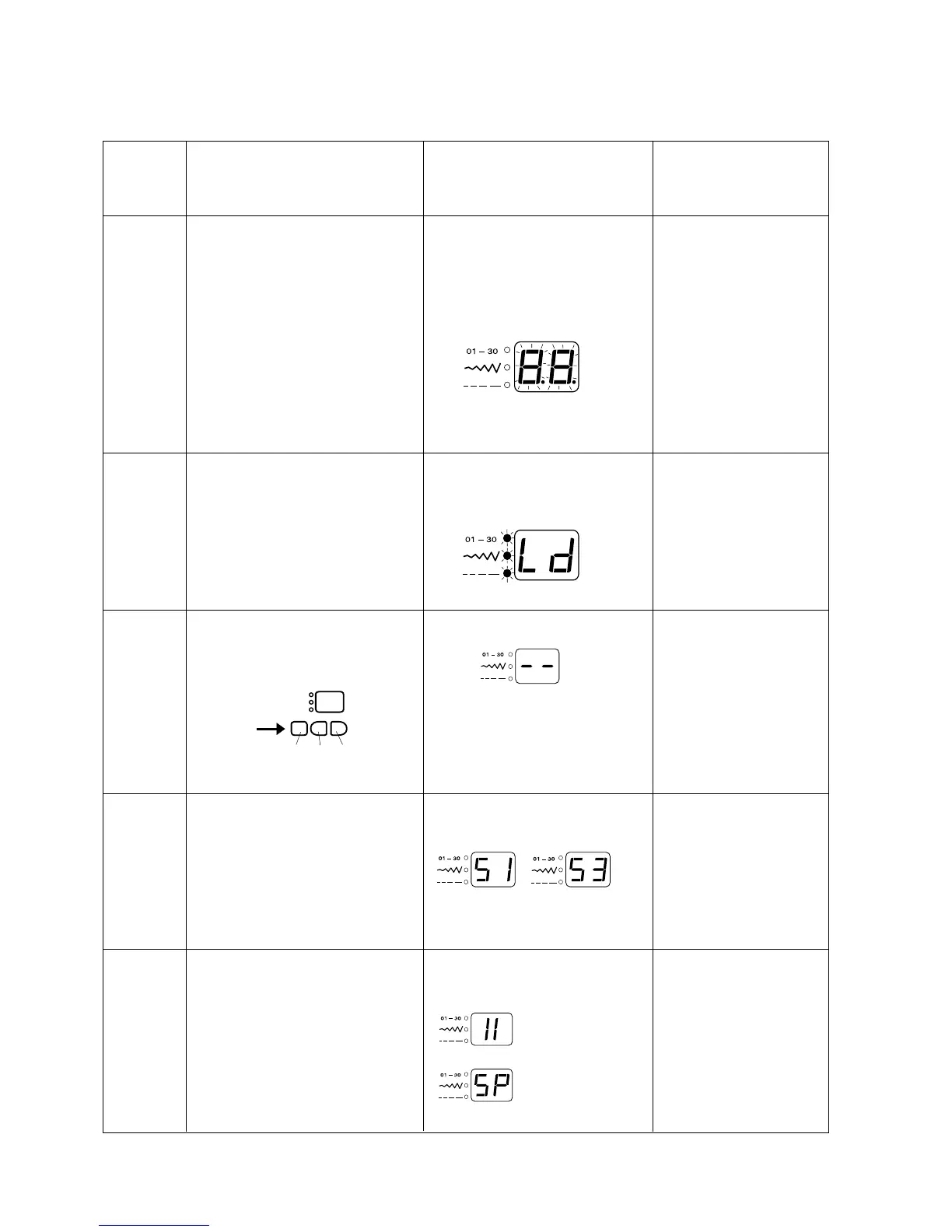
* Led displays " 8.8", and blinks in 1-
sec. Intervals.
7- segment led displays "Ld" 3 mode
leds blink in 1-sec. Intervals.
* Led indicates "--".
* Button number is displayed when the
button is pressed.
* Led indicates "II".
(At left position)
(At right position)
STEP AND
ITEMS TO
CHECK
01)
7-segment
led
02)
Mode led
03)
Switch
04)
Bobbin
winder
switch
05)
Not
applicable
to this
model
PROCEDURE
Turn on the power switch while
simultaneously pressing the #01
button and the #16 button.
Press the #16 button five times to
select menu item "6".
Press the #01 button: The led
indicates "01" for one second.
If you don't press the #16 button
within 2.5 seconds, the machine
automatically reverts to normal
sewing mode.
Press #01 button, led
displays "02" for one second.
Press #01 button, led
displays "03" for one second.
Press buttons S1 to S3.
Press #01 button, led
displays "04" for one second.
*Move the bobbin winder spindle to
the right.
* Return it to the left.
Skip this step by pressing the #01
button.
DEFECTIVE RESULTS
* No beep sound.
* Does not enter self-diag-
nostic mode.
* Led does not blink on or
off.
1. Replace board "A".
* Led does not blink.
1.Replace board "A".
* Led display is different
from that shown to the
left.
1.Replace board "A".
* Led display is different
from that shown to the left.
1.Adjust bobbin winder
switch position.
2.Replace bobbin winder
switch.
3.Replace board "A".
LED
SELF DIAGNOSTIC SHEET
Button
S1 S2 S3













 To Next Page