29
MODEL 520
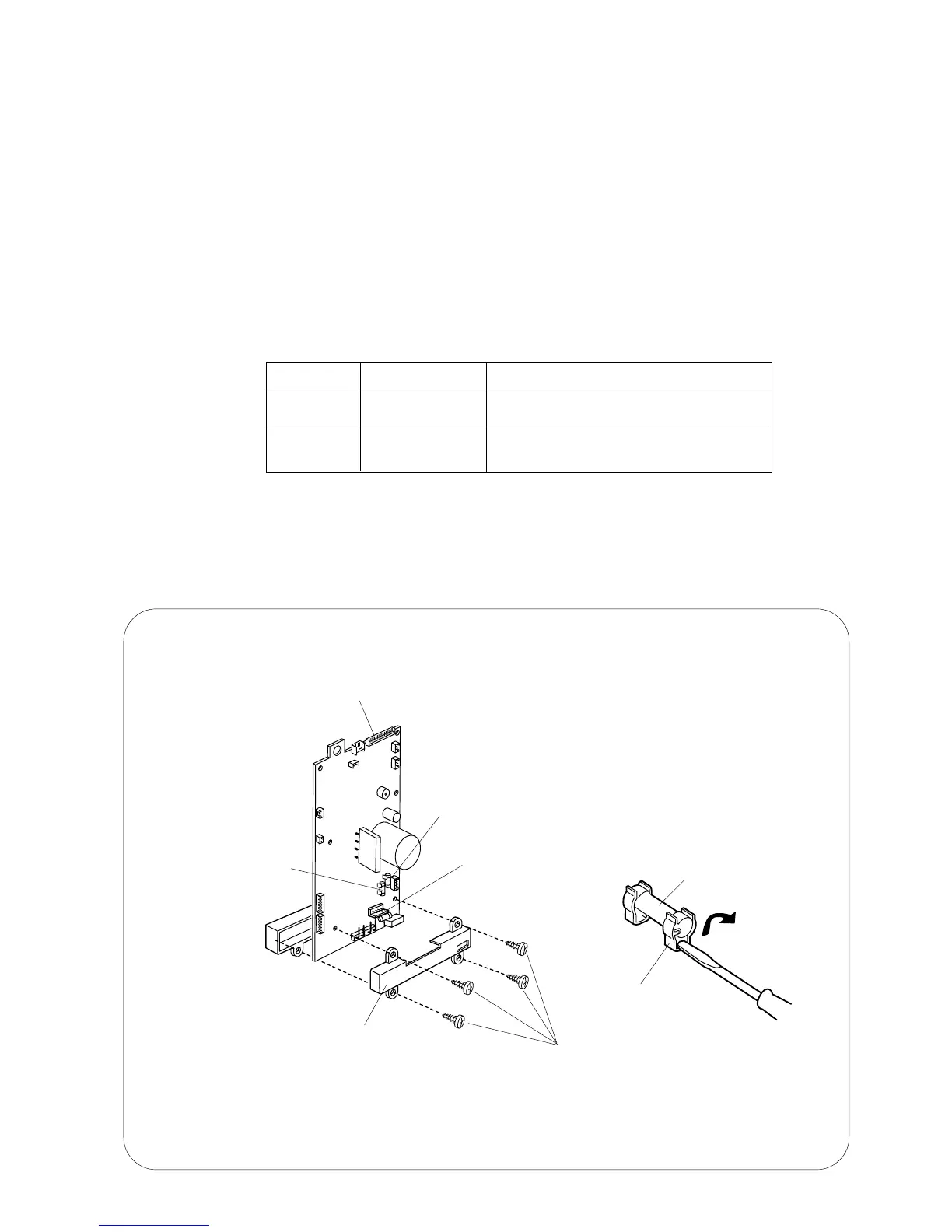
REPLACING THE FUSES
REPLACING THE FUSES
TO REMOVE:
1. Remove the front cover (see page 6 and 7).
2. Remove the four setscrews and lift off the cover on printed circuit board "A".
3. Remove the fuse. (Pry it out with a screwdriver).
TO INSTALL:
4. Follow the above procedure in reverse.
Setscrews (4)
Printed circuit board "A"
Printed circuit board "A" case
Fuse holder
Fuse
F2. AC250V 3.15A
F3. AC250V 2.5A
F1. AC250V 2.5A
FUSE NO.
F1, F3
F2
PART NO.
000-144-605
000-182-904
NOTES:
1. Replace the printed circuit board "A" if you notice any browning, discoloration, or other
abnormalities.
2. Only install fuses with the correct rating.
3. If the fuse is loose, bend the fuse clips inward to secure the fuse.
TYPE/SPECIFICATION
TSD-2.5A-250V
5.2 X 20 MM 2.5 A TIME-LAG FUSE
3.15A-250V
5.2 X20 MM 3.15A TIME-RUG FUSE













 To Next Page