13
r
e
w
q
Replacing Needles
CAUTION:
Always make sure to press the lockout key to lockout
the machine or turn the power switch off before
replacing the needle.
A loose needle or a loose screw may cause machine
malfunction or needle to break.
NOTE:
• Use the needles equipped with the machine or
supplied by an ELNA authorized dealer.
• Use size 11 blue tipped needle for ne fabrics.
• For medium to heavy weight fabrics, use size 14
needles or red tip needle*.
Fabric and Needle Chart
Fabric Thread Needle
Fine
Embroidery thread
Blue tip needle
Medium
Heavy
weight
Universal needle #14
Red tip needle*
* Red tip needle is an optional item.
CAUTION:
Be sure to tighten the needle clamp screw rmly with a
screwdriver when attaching a needle to the machine,
otherwise the needle may break or cause malfunction.
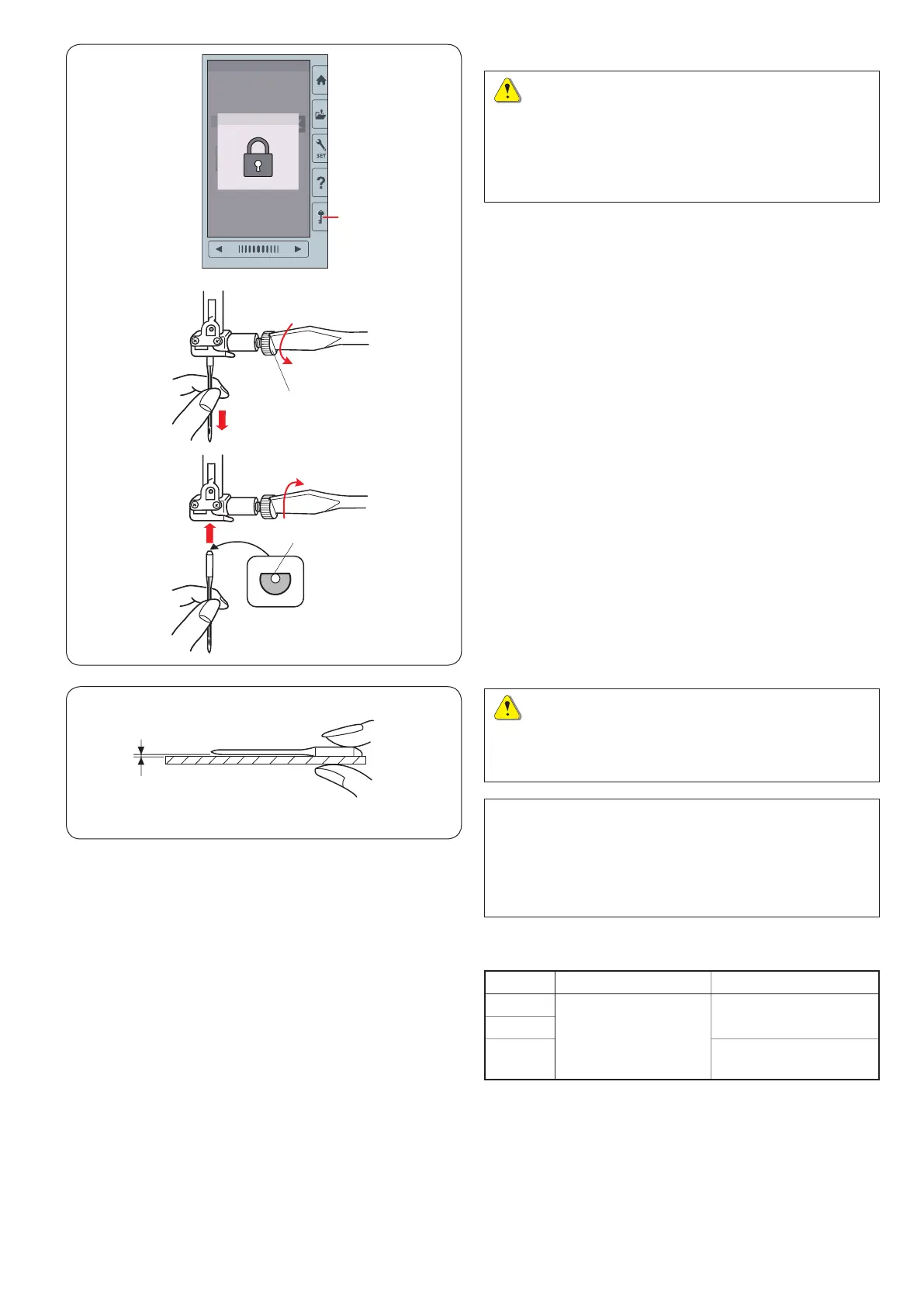
Raise the needle by turning the handwheel.
Turn the power switch off or press the lockout key.
q
Lockout key
Loosen the needle clamp screw by turning it
counterclockwise.
Remove the needle from the clamp.
w
Needle clamp screw
Insert a new needle into the needle clamp with the at
side of the needle to the rear.
e
Flat side
When inserting the needle into the needle clamp, push it
up against the stopper pin and tighten the needle clamp
screw rmly with a screwdriver.
To check needle straightness, place the at side of the
needle onto something at (a needle plate, glass etc.).
The gap between the needle and the at surface should
be consistent.
r
Gap
Never use a blunt needle.















 To Next Page