54
!4
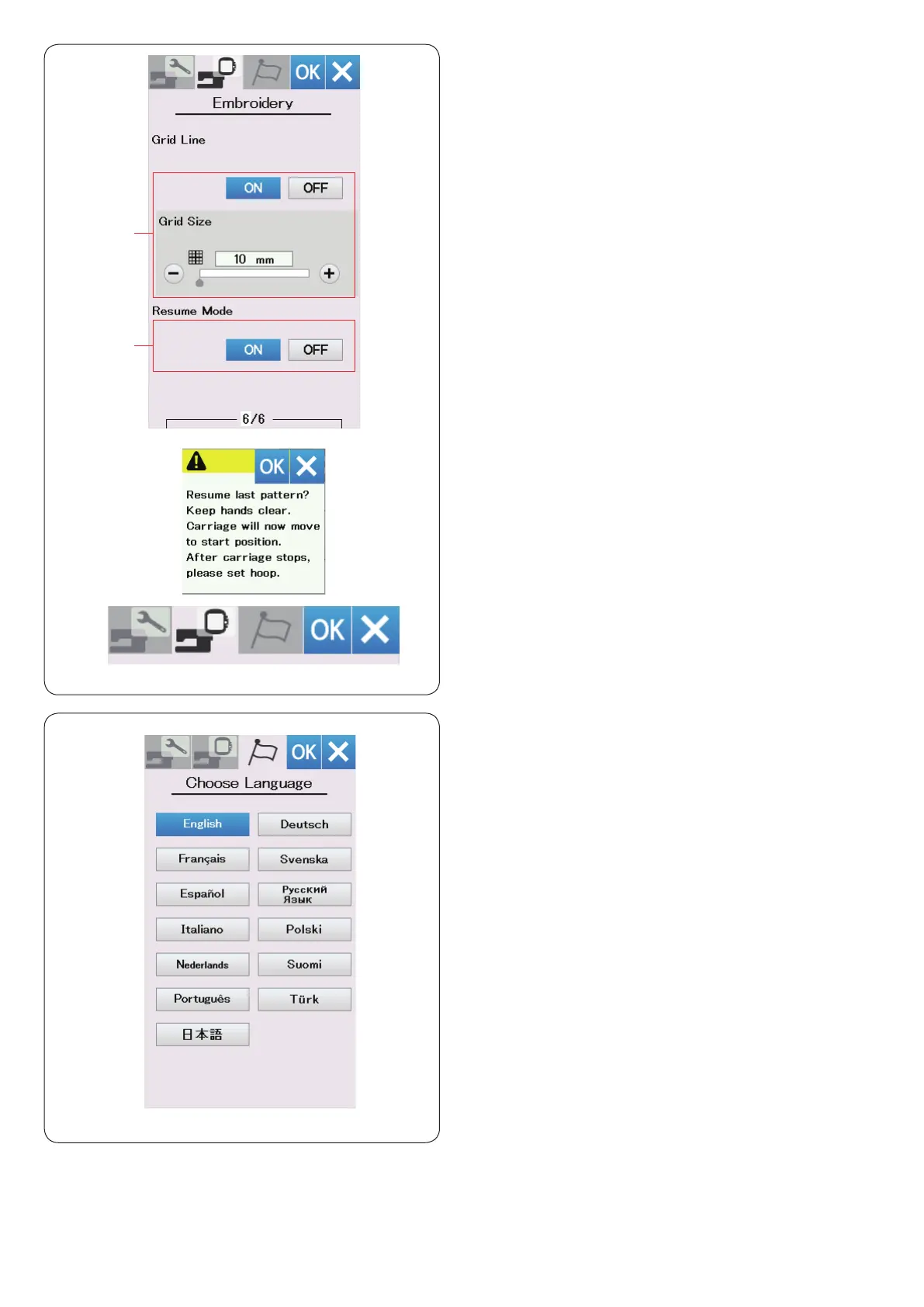
Grid line on/off
Turn this option on to show grid in the editing window.
The grid size can be altered from 10 to 30 mm with the “+”
or “−” key when this option is on.
Turn this option off to hide the grid.
!5
Resume mode
When Resume Mode is turned on, the last pattern sewn
before turning the power off will resume when you turn
the power on again.
When you turn the power on, the conrmation window
opens. Press the OK key to resume the last pattern.
!4
!5
Language Selection Mode
Select the desired language and press the OK key.
The visual touch screen shows messages in the selected
language.
After customizing the settings, press the OK key to
enable the new settings.
To exit the setting mode without changing the settings,
press X key.















 To Next Page