42
z x
c
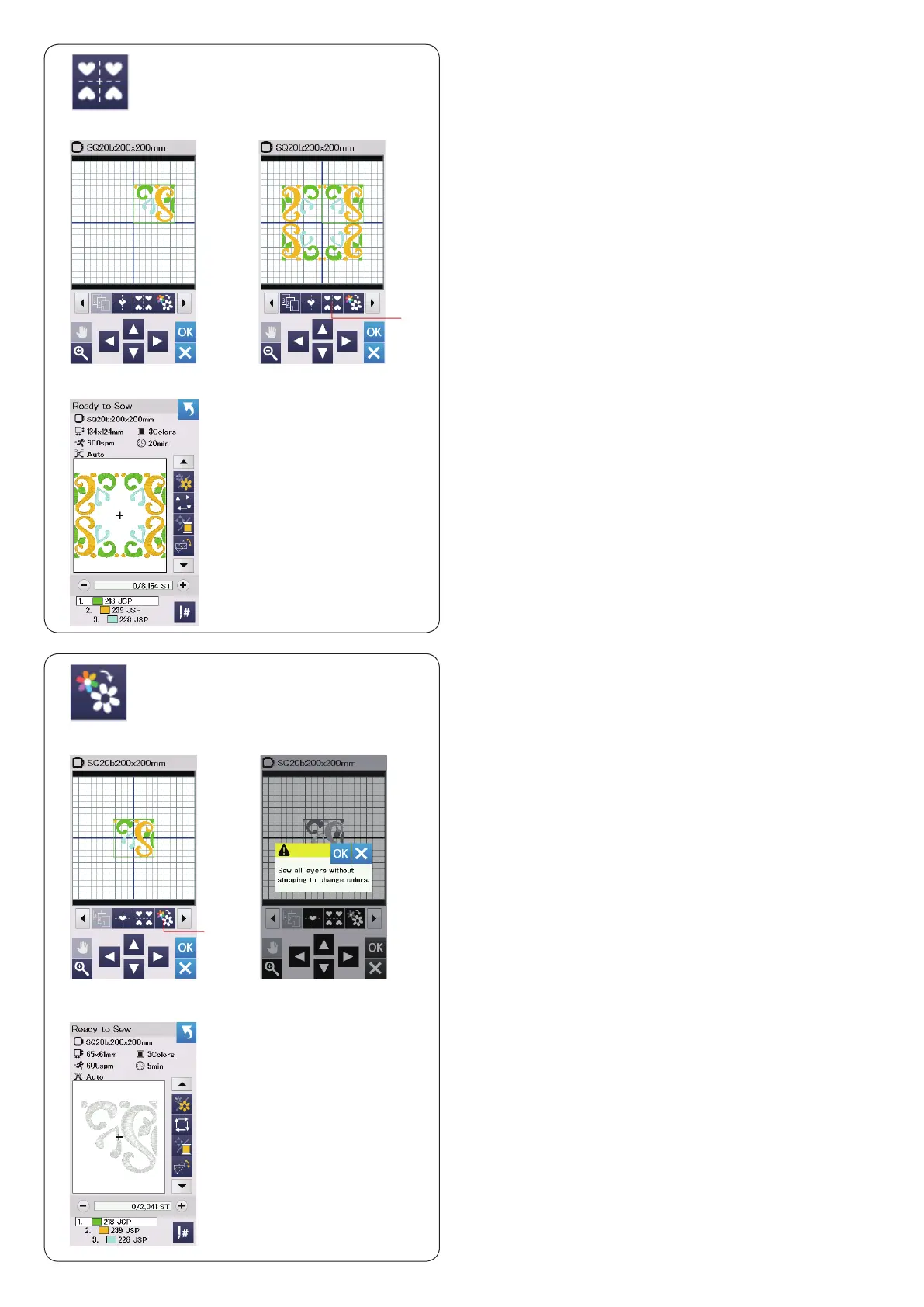
Creating a square frame
z
Select pattern Geometric Design SQ14B-56.
Move the design up and to the right.
x
Press the corner layout key.
The pattern will automatically be copied and placed
symmetrically into 4 corners.
Press the OK key.
q
Corner layout key
c
The ready to sew window will open.
q
Single color sewing
If you want to sew a pattern or a pattern combination in
one color only, press the single color sewing key
q
.
The machine will not stop until the entire design is sewn.
z
Press the single color sewing key
q
.
x
Press the OK key.
z x
c
c
The design(s) will be displayed in gray.
Press the start/stop button to start single color sewing.
The design will be sewn without stopping for color
change.
q















 To Next Page