15
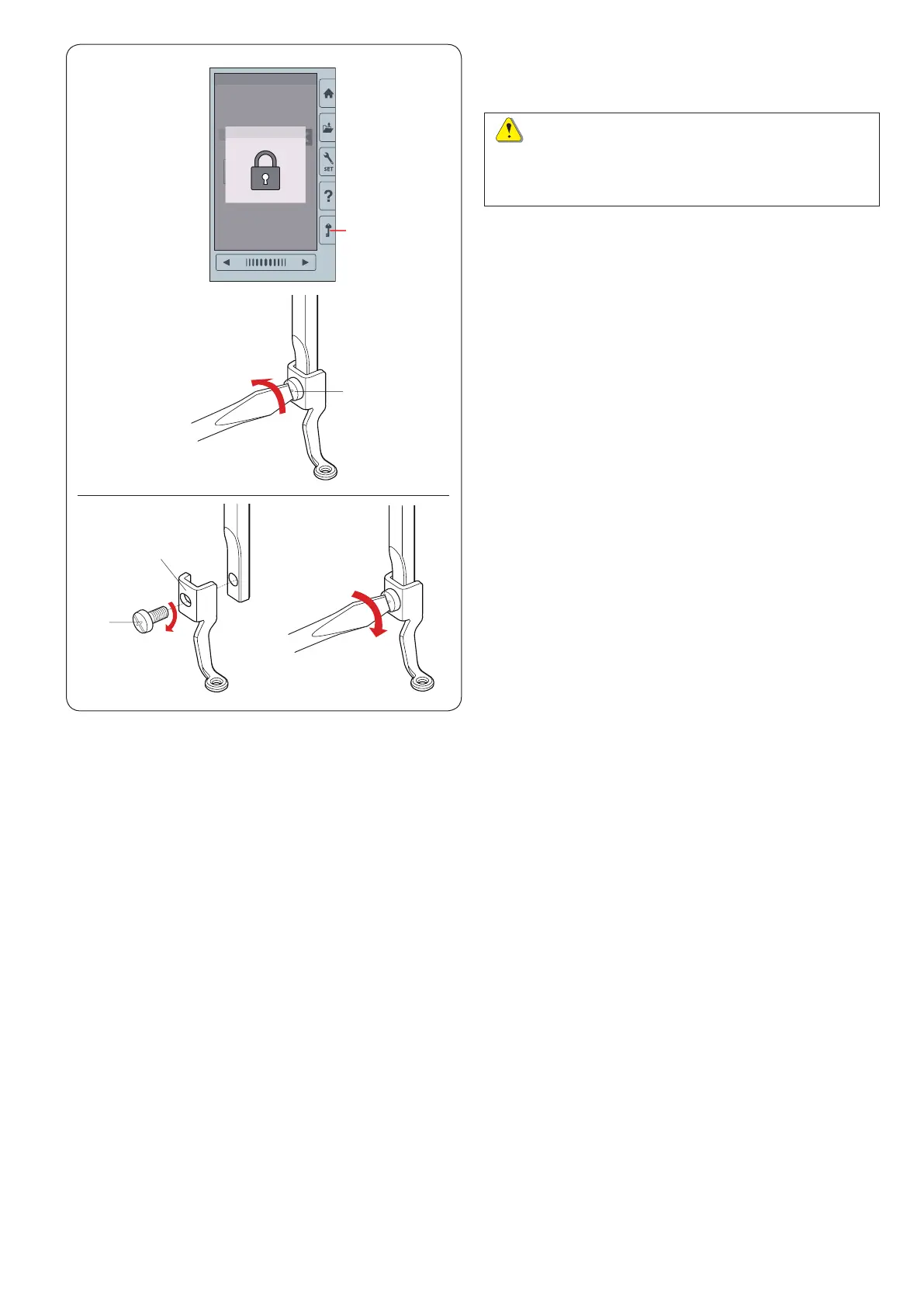
Removing and Attaching the Embroidery Foot
Remove the embroidery foot when removing the needle
plate for the maintenance, etc.
To remove:
z
Turn the power switch off or press the lockout key.
Raise the needle by turning the handwheel toward
you.
q
Lockout key
x
Loosen the setscrew with the screwdriver and remove
the embroidery foot.
w
Setscrew
z
x
z x
q
w
w
e
CAUTION:
Always make sure to press the lockout key to lockout
the machine or turn the power switch off before
removing or attaching the embroidery foot.
To attach:
z
Attach the embroidery foot to the presser bar from the
left side.
w
Setscrew
e
Embroidery foot
x
Tighten the setscrew securely with the screwdriver.















 To Next Page