33
x
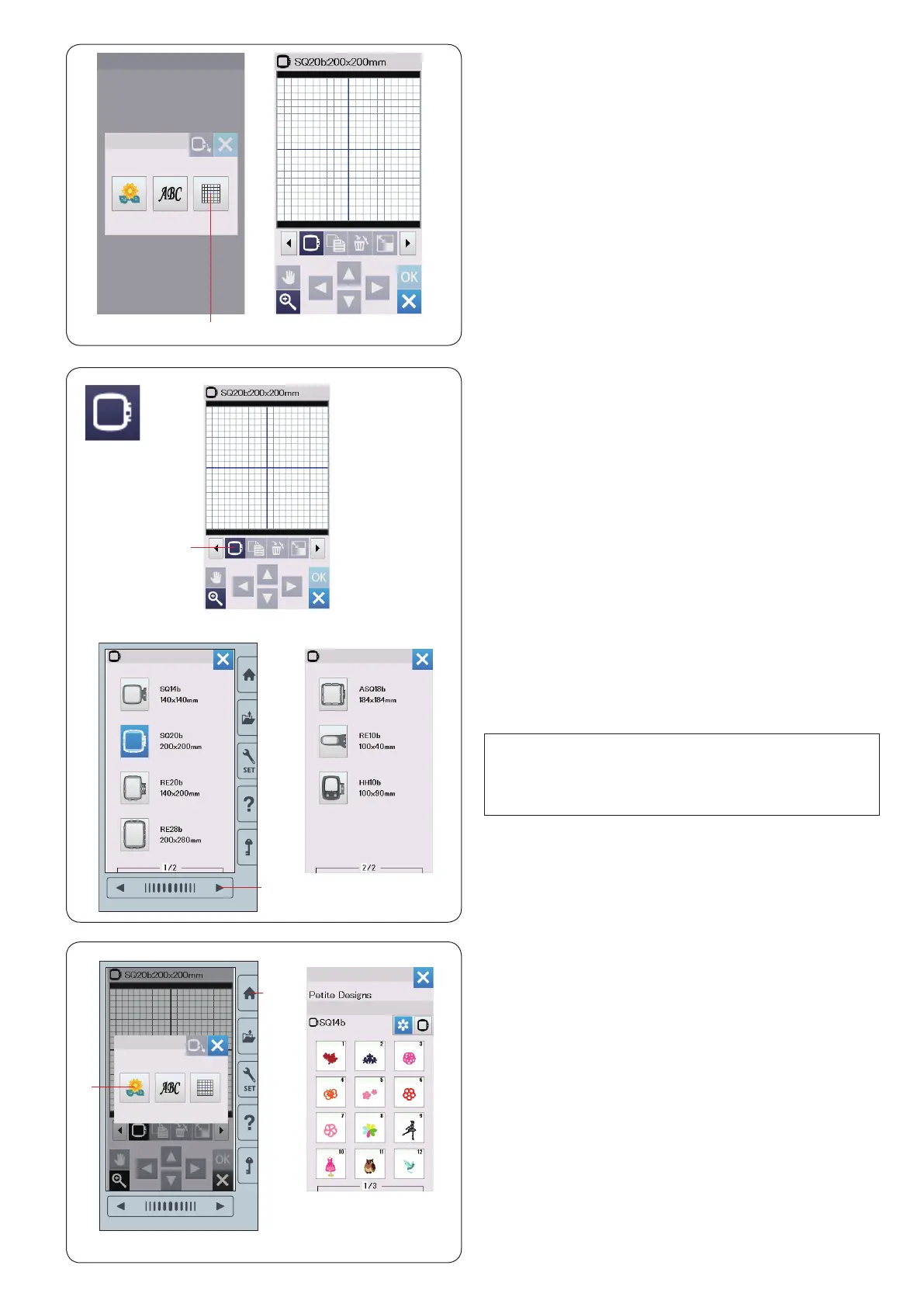
Press the next page key
w
to show the other hoops.
Press the hoop icon key to select the desired hoop.
The screen will return to the editing window.
w
Next page key
Editing Mode
In the editing mode, you can edit and combine patterns to
create original embroidery designs.
Press the editing mode key
q
and the editing window for
the hoop SQ20b will open.
q
Editing mode key
Opening the embroidery designs
You can open the built-in designs, monogram, and
designs from the USB ash drive in the editing window.
To open design patterns, press the home key
q
.
Press the built-in design key
w
.
Select the desired pattern from the design list (refer to
page 66-71).
q
Home key
w
Built-in design key
Selecting a hoop size
You can select other hoop sizes.
z
Press the hoop selection key
q
and the hoop selection
window will open.
q
Hoop selection key
NOTE:
• In the editing mode, you cannot select patterns larger
than the size of the selected hoop.
• Some of the hoops are not included with the machine.
z
x
q
q
w
w
q















 To Next Page