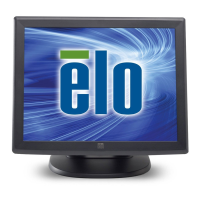
User Manual – IDS ET3203L/ET4303L/ET5053L
UM600265 Rev. C, page 17 of 33
Off: 01:00:00
On: 07:00:00
Selecting “Recall Defaults” restores all factory default settings for OSD-adjustable
parameters (except OSD Language and OSD Time Settings) and for Preset Video
Mode timings.
Adjusts how long a period of OSD button inactivity the IDS Display will wait before
closing the OSD. The adjustable range is between 5 and 60 seconds.
Default: 15 seconds
Selects which language the OSD information is displayed in. The available
languages are: English, French, Italian, German, Spanish, Russian, Simplified
Chinese, Traditional Chinese, Japanese and Korean.
Default: English.
When selected, the OSD will not popup when the Menu button is pressed.
If the OSD needs to be unlocked, press and hold the Menu button for five (5)
seconds. This will cause the monitor to unlock the OSD menu.
Adjusts the OSD orientation between Portrait and Landscape mode
Select normal touch mode or touch through mode.
Default: Normal mode
Displays the IDS Display model and the monitor and touchscreen serial #
information
Displays the real-time temperature of the Video Board
Note: CPU Sensor temperature is only available if the feature is supported by the
computer module.
Display information regarding Elo Touch Solutions contact information.


 To Next Page