CMS200 Product Manual, Issue 6
www.nexo.com Page 31
3.6.4 The motion sensor test
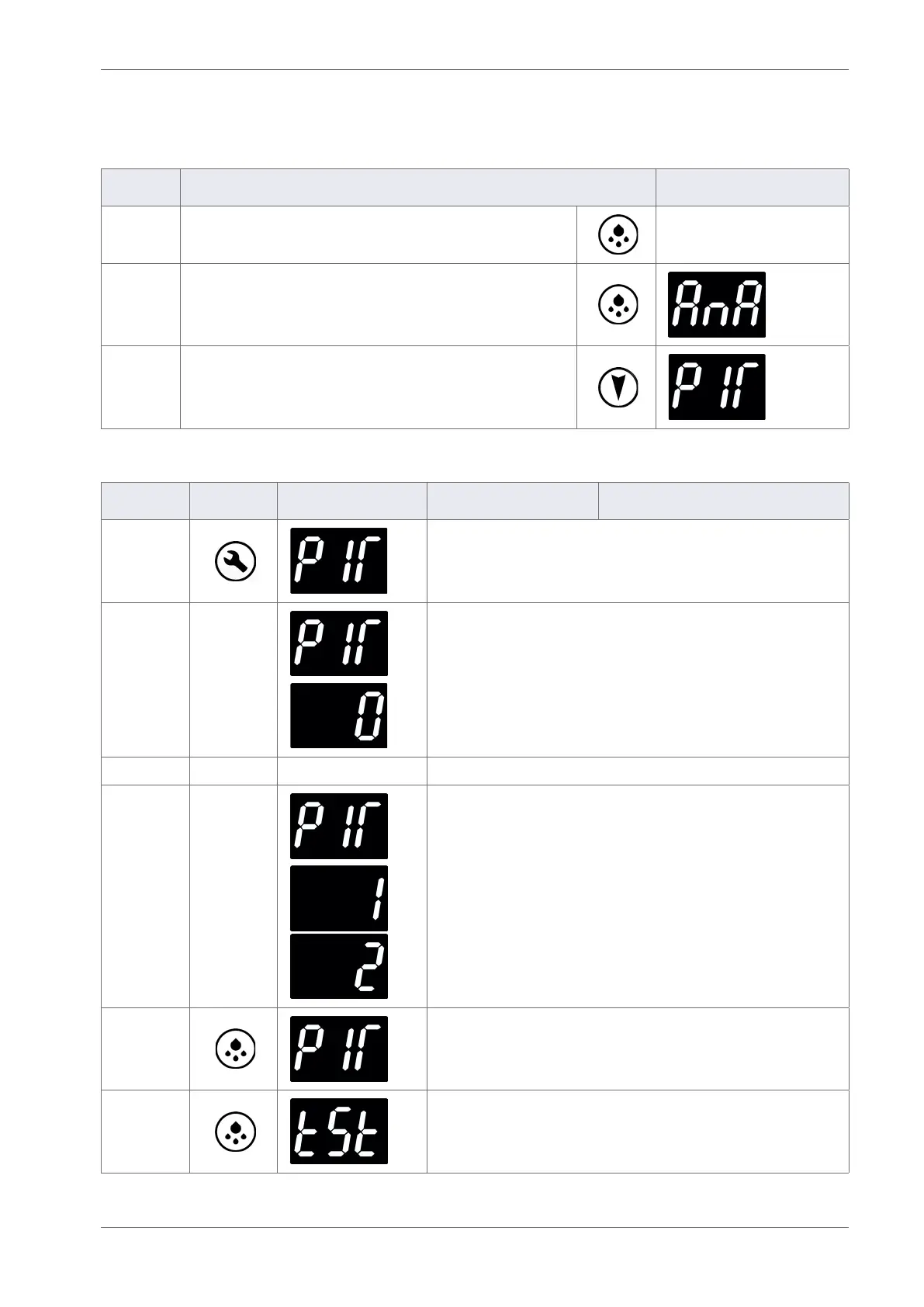
The motion sensor test (PIr) checks that the PIR (Passive Infra-red) sensor is picking up activity.
Step Action Display
1 Press Defrost to return to the analogue input test menu
2 Press Defrost to return to the test menu
3
From the test menu:
Press the Down button to scroll to the PIR input test.
Then follow the routine:
Action Button Display Test Check
Press
Press the Set button to enter the motion sensor test.
Place your hand about 300mm from the motion sensor
Move your hand from left to right. Check for the following:
The display count increments for each detected movement.
The motion LED ashes for each detected movement.
Press
Press the Defrost button to exit the test.
Press
Press the Defrost button to return to the main menu.



 To Next Page