Product Manual, Issue 6 CMS200
www.nexo.comPage 32
3.7 Viewing the last three cooler faults witnessed by the controller
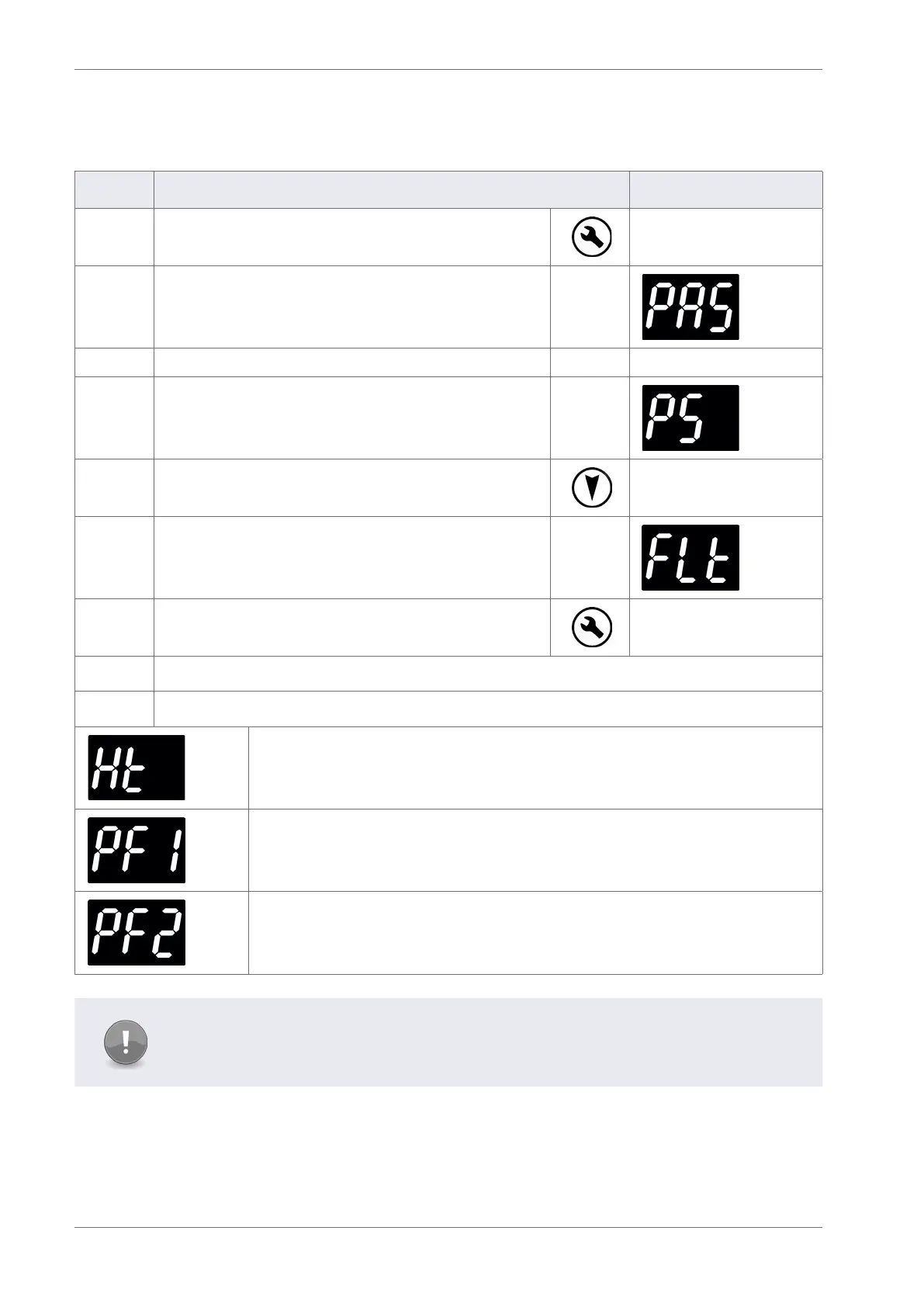
It is possible to view the last three faults (FLt) and understand problems that have occurred with the cooler.
Step Action Display
1 Press the Set button
2 The display shows:
3 Enter the appropriate password to access the main menu
4 The display shows:
5 Press the Down button and scroll to FLt
6 The display shows:
7 Press the Set button to select
The controller displays the last three faults witnessed
The last three faults, or alarms, to occur are displayed for example:
A condenser high temperature alarm has occurred
An appliance sensor alarm has occurred
A Condenser Sensor alarm has occurred
Note
The alarms may have been cleared, or cancelled, by the retail outlet operators pressing
the Down button.



 To Next Page