Product Manual, Issue 6 CMS200
www.nexo.comPage 24
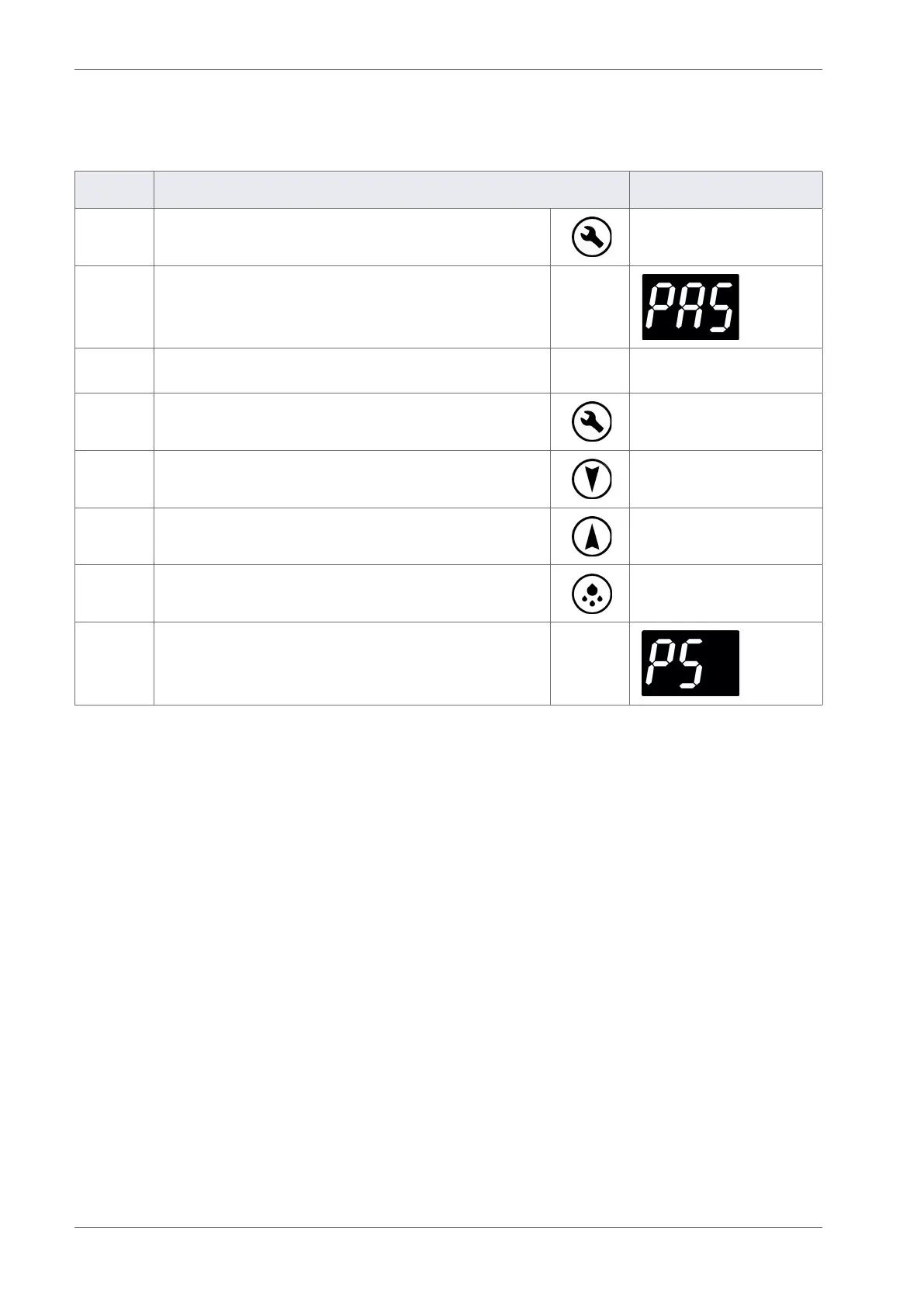
3.5 Menu access
To enter the controller’s menus follow the routine below.
Step Action Display
1 Press the Set button
2 The display shows:
3
Enter the button sequence of the Main menu entry
password
4 Press the Set button four times (x 4)
5 Press the Down button twice (x 2)
6 Press the Up button once (x 1)
7 Press the Defrost button twice (x 2)
8 The display shows:
3.6 Test routines
The test (tSt) routine tests the following:
` All load relays and buzzer output
` Analogue inputs (temperature sensors and door switch)
` Motion sensor
Should a problem be suspected with the controller it is recommended that the test routine is carried out
before disconnecting or replacing the controller.
The test routine can detect any loose or disconnected cables and check that the controller is connected
properly to the lights, fan and compressor.



 To Next Page