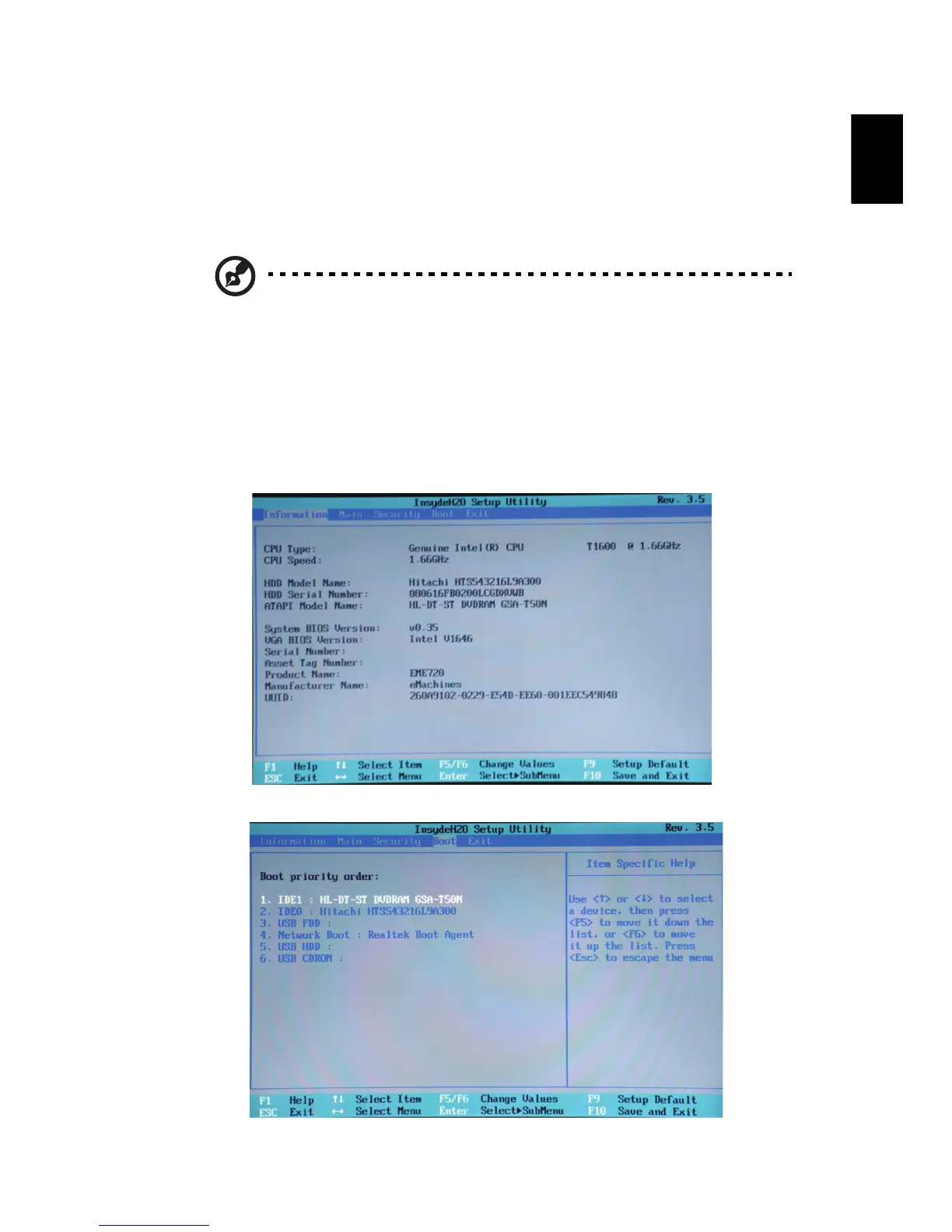
5 Use the arrow keys to select the IDE 1*, then press the ENTER key.
Windows will be installed from the recovery disc.
6 Insert the second recovery disc when prompted, then follow the on screen
prompts to complete the restore.
7 Remove the recovery disc from the optical drive once the restore is
complete. Do this before rebooting your computer.
Note: * Actual product specifications may vary.
If you prefer to set the boot priority for long-term use, you should select the
Boot submenu.
1 Turn on your computer and insert the first system recovery disc into the
optical disc drive. Restart your computer.
2 During startup when the eMachines logo shows, press the F2 key to enter
BIOS Setup, where you can set system parameters.
3 Use the left and right arrow keys to select the Boot submenu.














 To Next Page