z Pause or Resume by pressing the PLAY button.
z Skip to the previous or next file by pressing the arrow buttons.
z Fast-forward or Rewind by holding the arrow buttons.
z Change the volume as described on page 13.
8.3 Audio Menu Commands
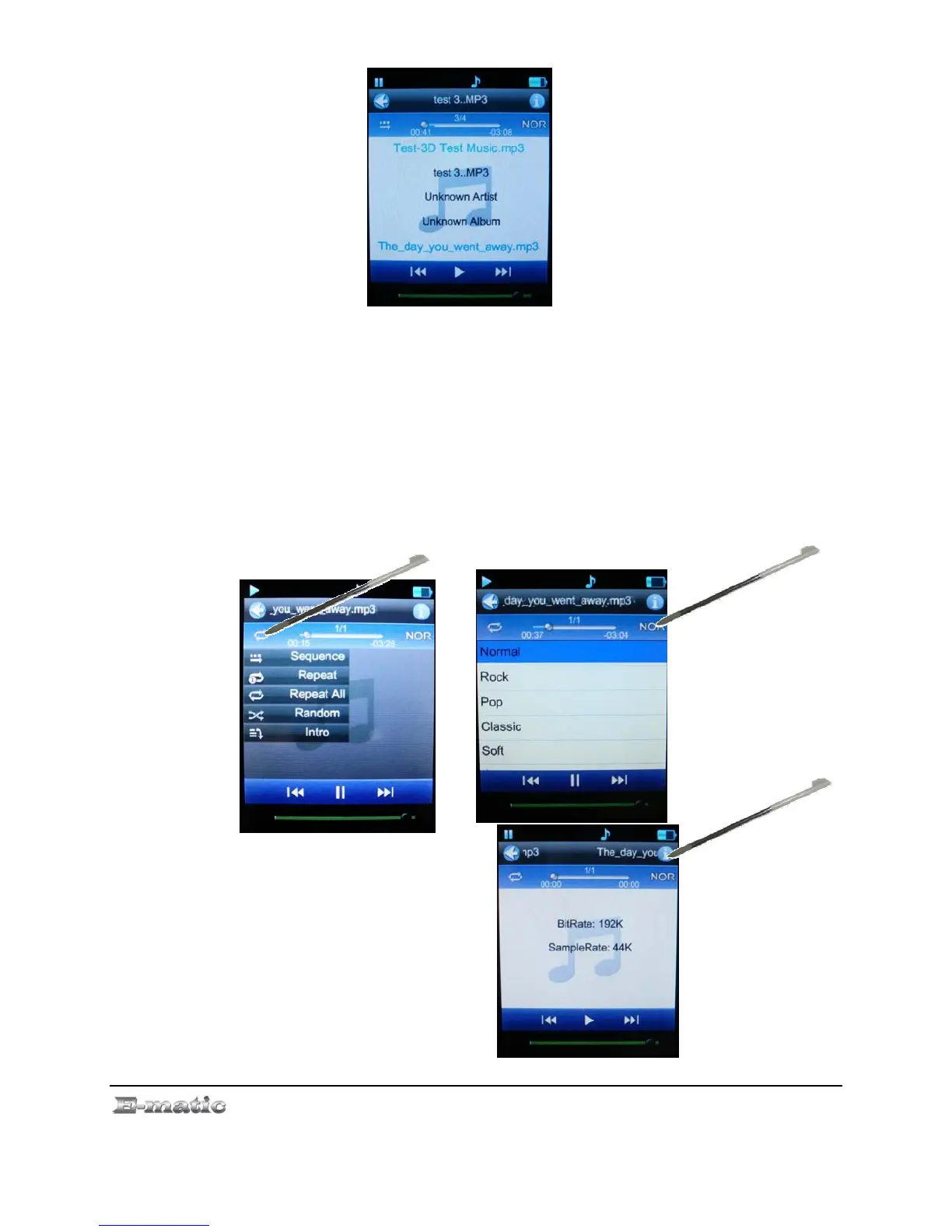
On the music playback screen, use the stylus to select the following
functions:
z Repeat allows you to select one of many repeat patterns.
z EQ Settings allows you to select one of many equalizer presets.
z Information display BitRate
and SampleRate for the
audio file.
E4 Series User Manual Page 17 of 36



 To Next Page