Ebook Reader User Manual
10
Delete Mark – When reading articles, quickly press "M" and choose “Del
Mark.” Press “M” again. Press direction keys to choose the bookmark that
needs to be deleted. Press "M" to confirm the number you choose, and the
bookmark is thereby deleted.
Browser Mode – When reading articles, quickly press "M" and choose
“Browser Mode.” Press “M” again. Press the Direction keys to choose Auto
Mode or Manual Mode. (In Manual Mode, the Ebook Reader changes
pages only when prompted by human actions. In Auto Mode, the Ebook
Reader changes pages automatically, at a reasonable reading pace.)
Auto Change Pages – When reading articles, quickly press "M" and
choose “Auto Change Pages.” Select the time you want between page
turns by choosing desired “Flip Time.”
Table of Contents – Displays information about the selected article.
5. Change Settings:
Select “Settings” from the Main Menu.
“Display” Setting – Sets the time of day, as well as backlight brightness.
“System” Setting – Restorable/Key lock time.
“Time/Date” Setting – Sets the time and date of the Ebook Reader
system.
Languages – Choose from English, Deutsch, Italian, Portuguese, Dutch,
French, Spanish, Russia, Korean, Japanese, Dansk, and more.
Auto Shut Time – The Ebook Reader will Auto Shut Down after a certain
period of inactivity. When the device is actively in use, this function is
disabled.

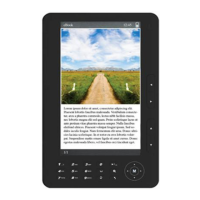

 To Next Page