Ebook Reader User Manual
5
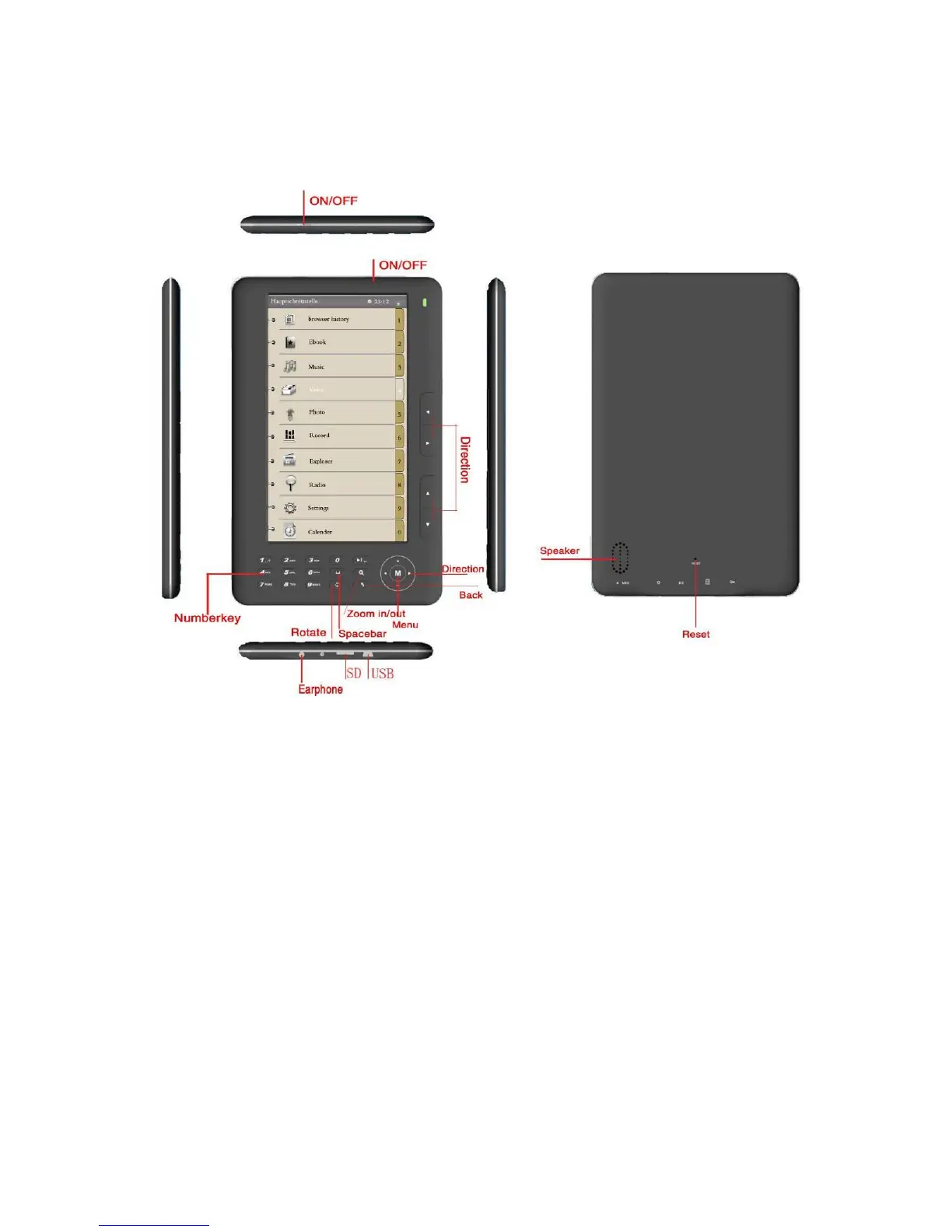
Function Keys Introduction (Different Angles):
1. Direction keys:
1) From the Main Menu, press the Direction keys to navigate through the
featured options.
2) From the Music interface, the Direction keys can be used to increase/
decrease volume and to select the previous/next music item.
2. Main Menu key: In any interface, press “M” to return to the Main Menu.
3. Zoom In/Out key: When reading articles, press this key to adjust the
font size.


 To Next Page