Ebook Reader User Manual
6
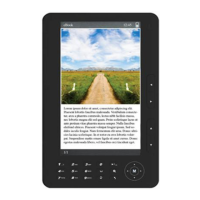
4. Main Menu Key (“M”): From the Reading or Music interface,
press to recall the Functions Online Menu.
5. Back/Cancel key: Press to return to the previous menu or cancel
the current settings.
6. Number keys: On the right side; press the number that corresponds to
the desired interface.
7. Rotate key:
1) In the Reading interface, press to rotate the article
2) In the Search interface, press to change the Input Method Editor.
3) In the Reading or Music interface, press to sort order of files by
the document names or other names.
8. Up/Down keys:
1) In the Main Menu, press to navigate up and down within the menu.
2) In the Reading interface, use to turn to previous or next pages.
9. Play/Pause key:
From the Music interface, press to switch between play and pause.


 To Next Page