Recording a Storybook
1
3
5
2
4
6
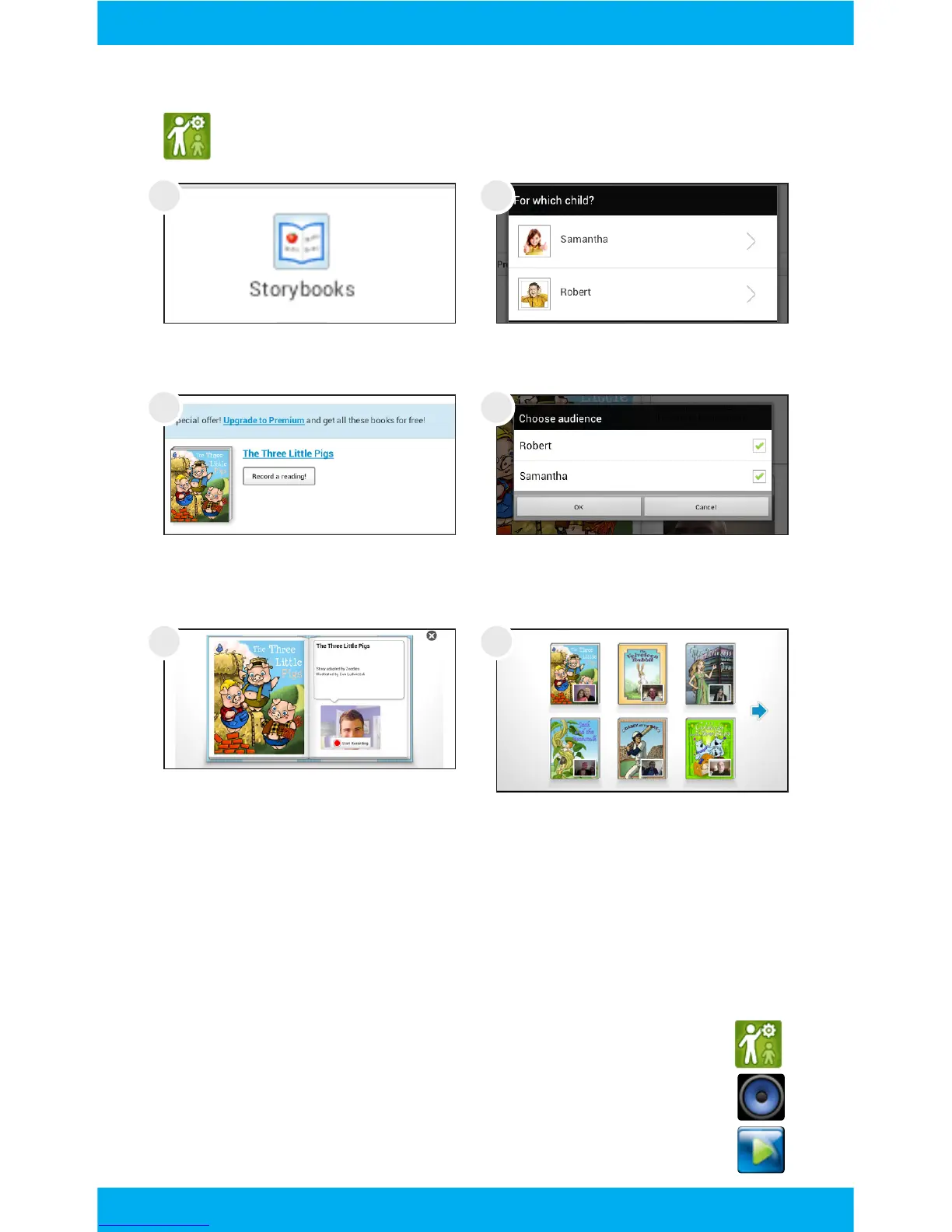
Use the Parent Dashboard app to make a recording of you
reading a storybook to your child.
Tap Storybooks.
Choose a book. You can
upgrade to premium for
more books.
Tap start recording to begin.
Turn each page by tapping
the green arrow.
Select a child to receive your
story.
Choose your audience.
The story will be available to
your child after processing.
You can delete a recording by logging into your parent
dashboard on zoodles.com.
Adding Music and Movies
To view videos and listen to music that have already
been loaded, the Music app and Super-HD Player app
must be made available in Kid Mode. Use the Parent
Dashboard to add them if they aren’t already. See the
Editing Available Apps Section.
16



 To Next Page