Initial Setup
2.
Connecting to Wi-Fi
®
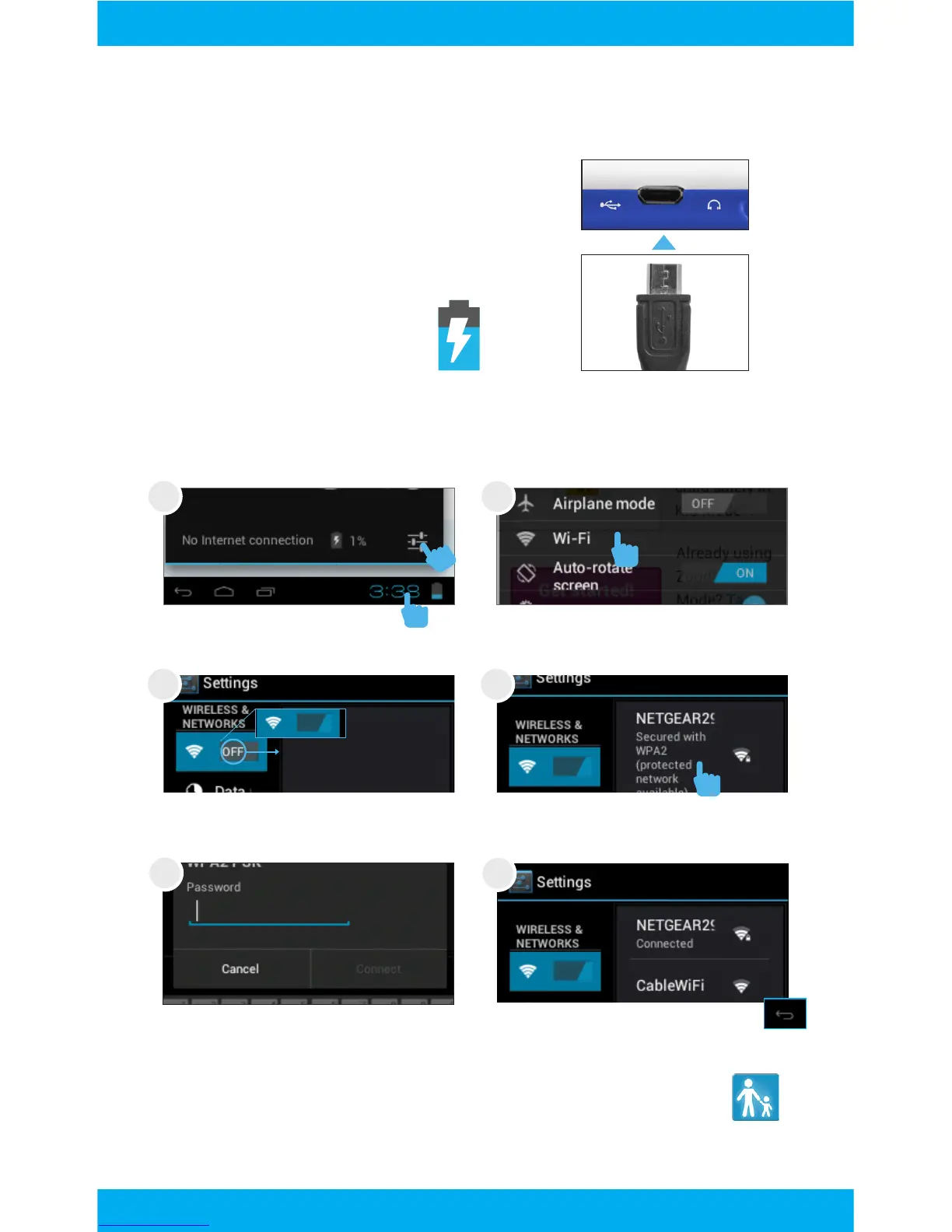
Charging
Fully charge your FunTab for 6
hours before the first use.
Slide OFF to the right to turn
on Wi-Fi.
Tap to select your network.
Enter your password.
When connected tap back.
If you accidently exit Kid Mode during setup, tap the Kid
Mode icon on the desktop to resume initial setup.
First tap the clock, then
tap the settings icon.
1
2
Tap Wi-Fi.
Use the included wall charger
and MicroUSB cable.
The battery indicator will
show that your device is
charging.
1 2
3 4
5
6
6



 To Next Page