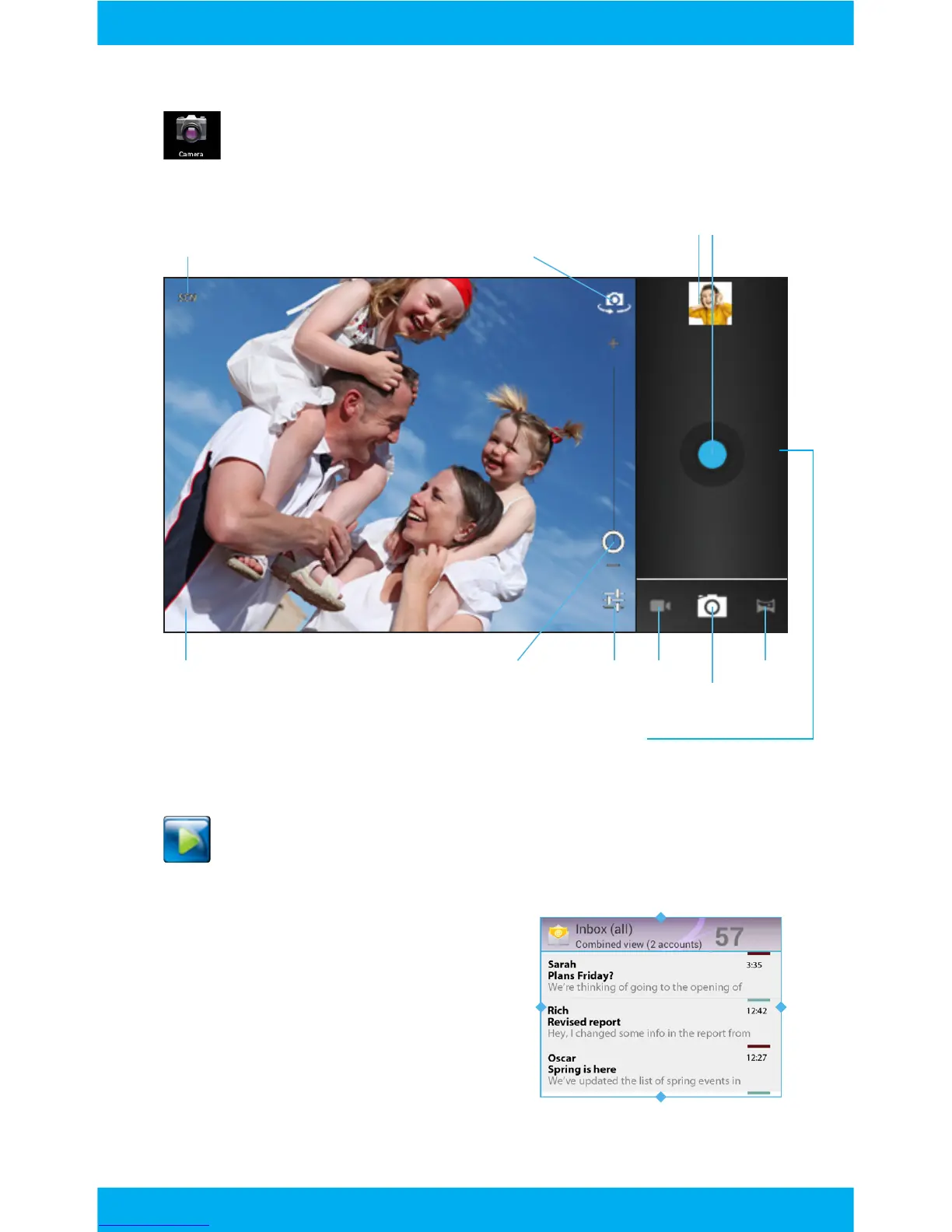
Previous Picture Shutter
Change storage location Tap to share
Zoom
Rotate Camera
VideoSettingsAdjust exposure compensation.
Change time lapse interval for video.
Tap the right side of the screen, then tap back to exit the camera.
Photo
Panoramic
Camera
Camera Overview:
Tap the Camera app to access the camera.
View your pictures in the Super HD Player app.
Widgets allow you to personalize
your home screen with useful in-
formation and tools. Some widgets
can be resized. Touch and hold,
then release. Next, drag the blue
diamonds to resize the widget.
Widgets
17



 To Next Page