User Setup
Editing Available Apps
2
1
3
2
3
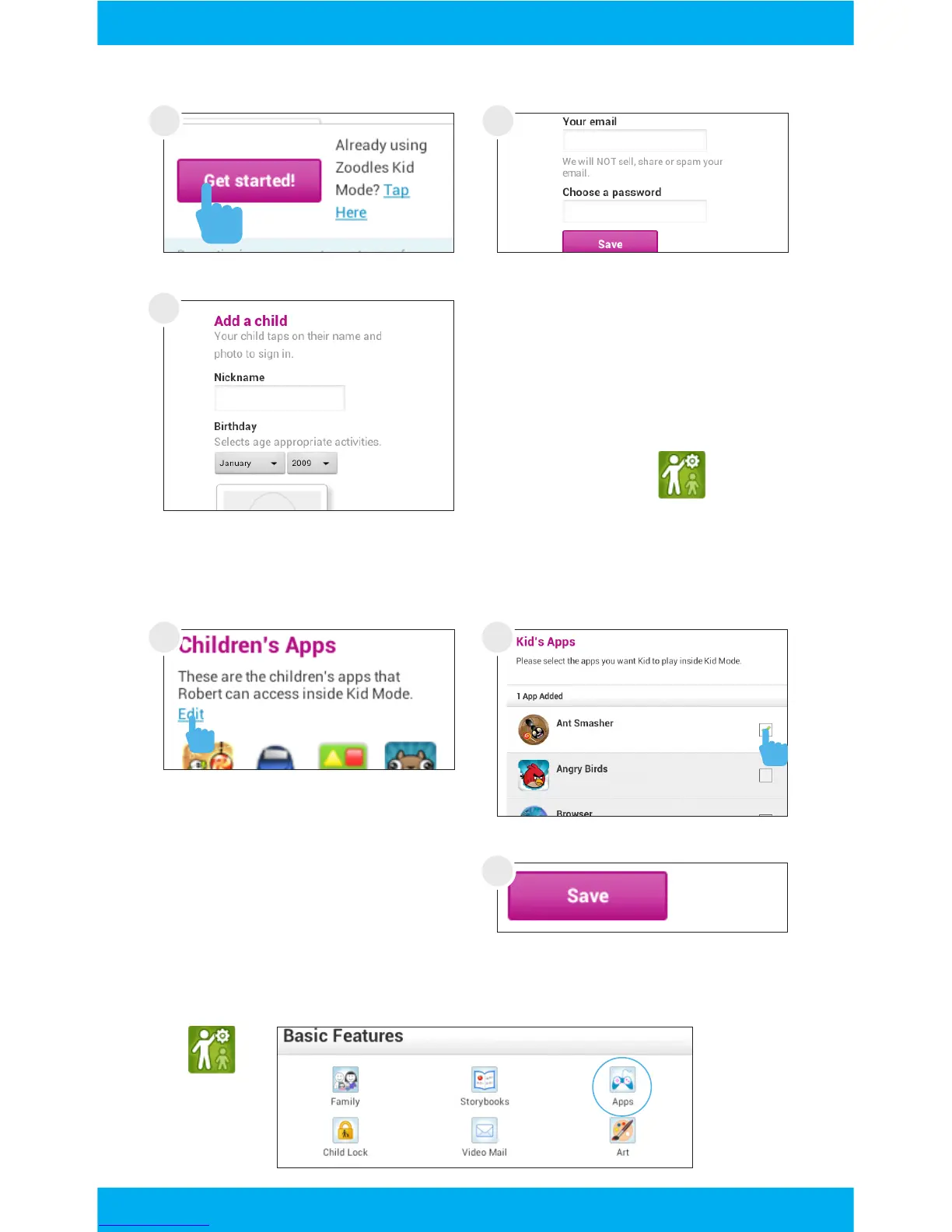
Enter the e-mail and pass-
word you would like to use
and tap save.
To modify apps, tap Edit, or
you can tap Save to skip and
move on to the next step.
All apps will be available the first time you turn on the tablet.
Add your child. You can add
another child now, or later at
any time by using the parent
dashboard app.
Uncheck the apps you want
to remove by tapping in the
check box, then tap save.
You can edit the available apps later by using the Parent Dash-
board app and selecting Apps.
Tap “Get started!”
1
7



 To Next Page