Icon Glossary
Lock Screen
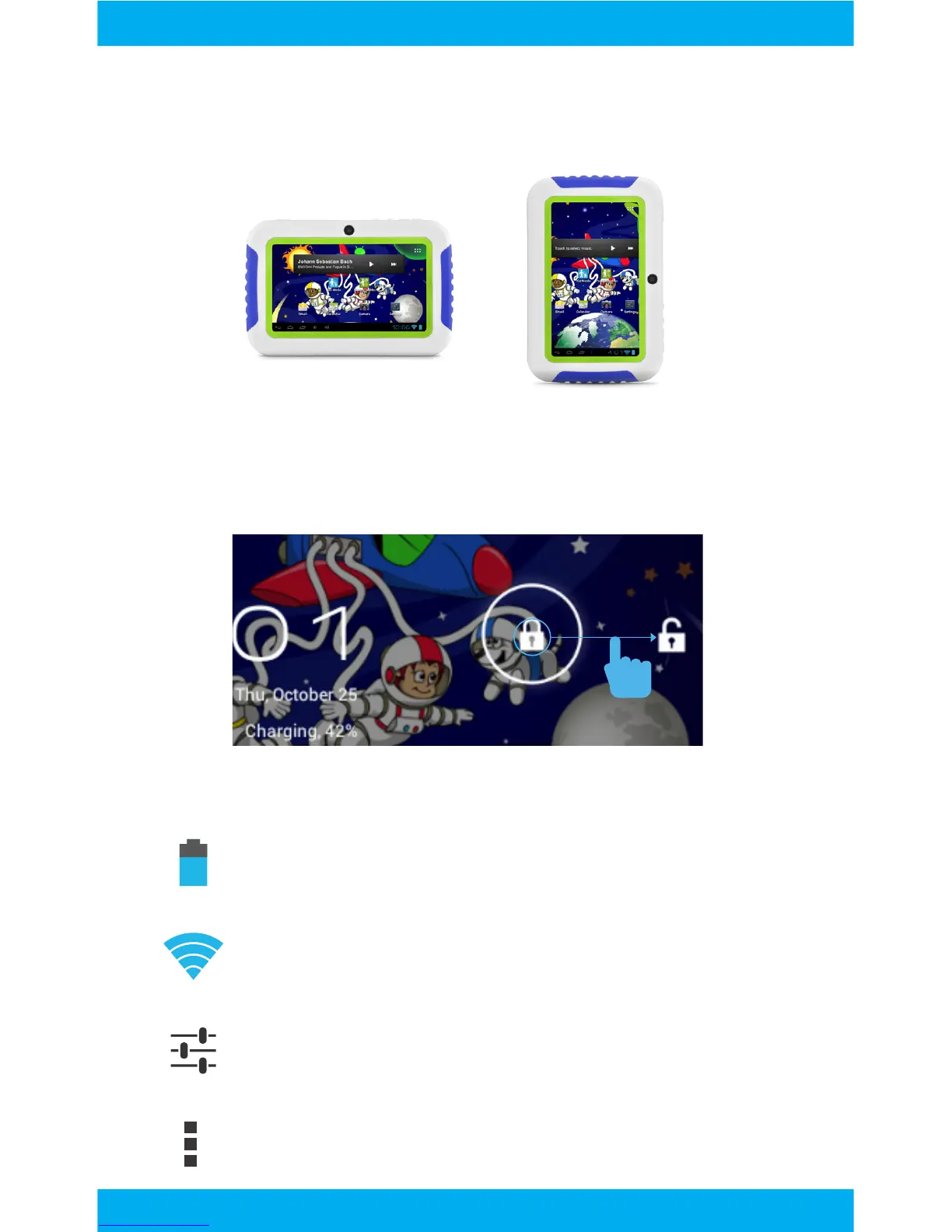
Battery Level: The blue battery level indicator will de-
crease and change to red as the battery is drained.
Wi-Fi Signal: As the Wi-Fi signal strength decreases,
the blue bands will change to grey.
Settings: Adjust your settings for Wi-Fi, screen bright-
ness, security settings, language options, and more.
Menu: Tap to reveal settings and options.
Slide the padlock icon circle to the unlocked padlock to unlock
the screen.
The G-Sensor allows the tablet to detect screen rotation. You
can view the home screen in either a lanscape or portrait format
as you use the apps. Kid mode only functions in landscape
format.
5



 To Next Page