27
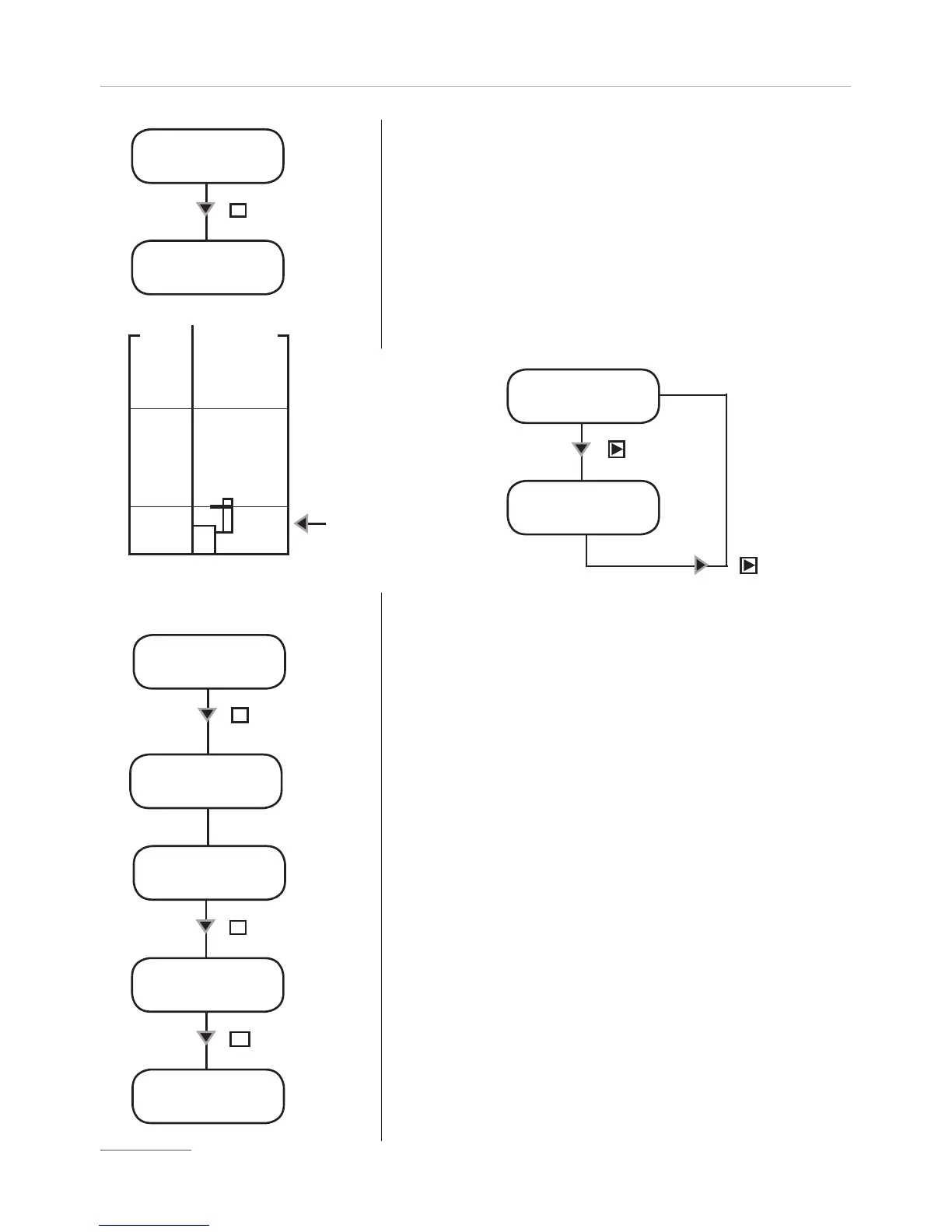
Pre Level Alarm (Reserve).
This function defines a pre-alarm status to inform user that the dosing product is near to
end. Reserve value to be set, must be calculated on product quantity left between foot
filter and pump’s suction level.
- Use “UP” key to increase the blinking “_” digit.
-Press “RIGHT” key to skip on next digit.
-Press “E” key to save data and “ESC” exit to main menu.
Otherwise press “ESC” to discard data and exit to main
menu.
During the alarm the pump continues to dose but it’ll show the following picture:
SET [03]
LEVEL
stop LIT
10.000
Key
E
Customizable Reserver (liters
/ gallons)
Foot filter with
level probe
ALARM
N° 1
ALARM
LEVEL
Key
Key
Flow Sensor (SEFL).
This function enables an external alarm and, eventually, stops the dosage if the pump
does not receive a “confirmation signal” from the “SEFL”. (“SEFL” accessories is optional).
- Use “UP” key to increase the blinking “_” digit and set the
number of failing strokes before to stop or not the pump. It
is possible to set a number from 1 to 99. Setting 00, the
SEFL will be disabled (DIS).
-Press “RIGHT” key to skip on next digit.
-Press again “RIGHT” key to choose the working
procedure.
-Press “UP” key to choose if pump must be stopped after
a numbers of pulses (YES) or continue to dose (NO).
- Press “E” key to setup fault recovery (recovery fault) options.
Setting “YES” as selected option if the flow sensor will have
unreliable strokes it will recover them while flow sensor is still
working in synching with it. Set this function by choosing how many
unreliable strokes will be needed to recover dosage. If entered
value is lower than previous one (fig. A) then SEFL function will be disabled.
While into recovering mode, if there is not synchrony with
SEFL, the unreliable strokes numbers will not decrease.
The maximum unreliable strokes numbers is determined
by the number of failing strokes previuously set. Passing over this
value an alarm (ALARM SEFL) will be generated by the pump.
Press “UP” to set Recovery fault on NO.
-Press “E” key to save data and “ESC” to exit to main
menu. Otherwise press “ESC” to discard data and exit to
main menu.
SET [04]
SEFL
SEFL 20
stop yes
Key
E
Key
E
recovery
AFTER005
key
recovery
fault yes
SEFL
ENABLE
E
(fig. A)


 To Next Page