12
Pa and Pb.
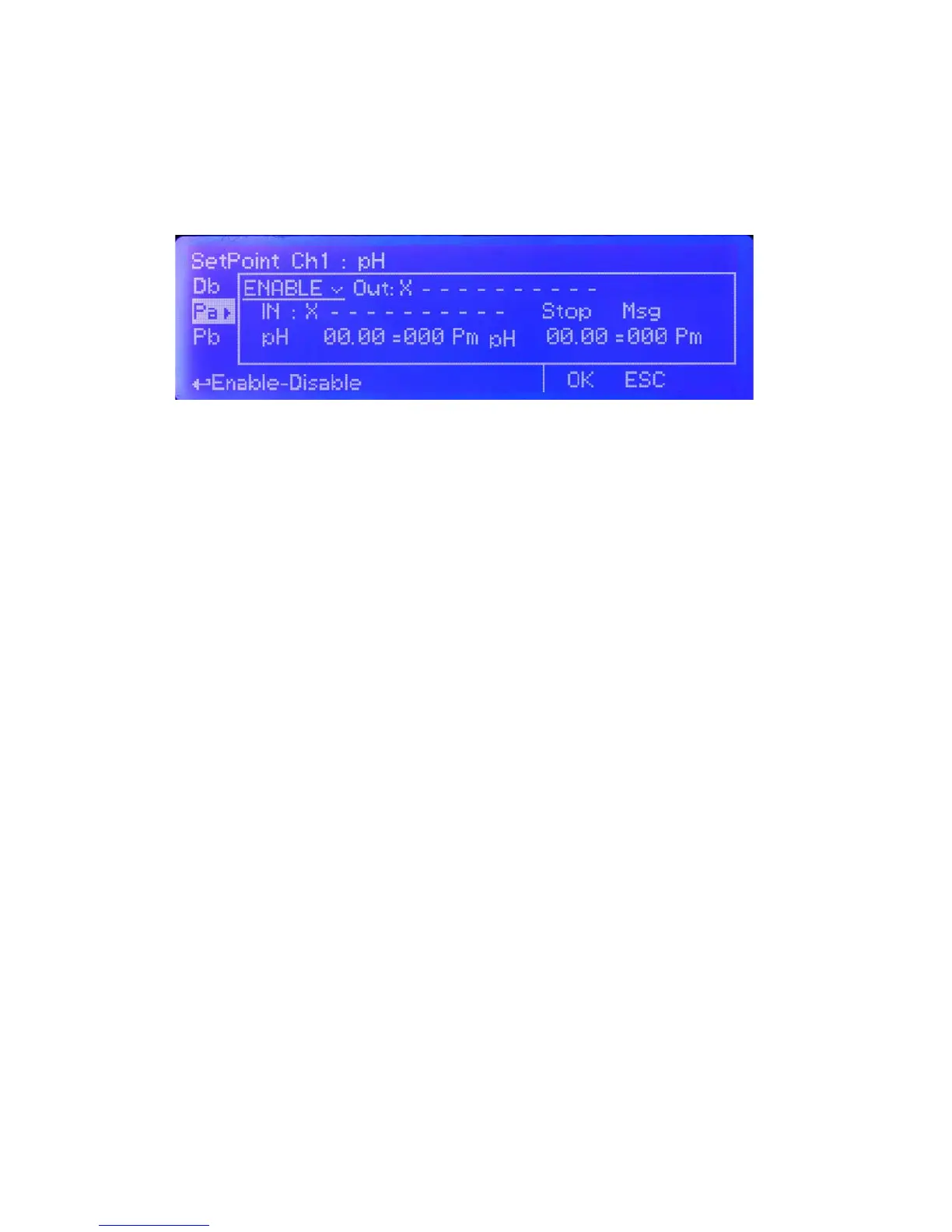
Using PxA and / or PxB is possible to control the status of “Proportional pump outputs” based on some parameters.
Refer to “I/O connections” blocks at page 5 to locate these outputs over the mainboard. Once that PxA or PxB function
is enabled (move wheel over “disable” , press, rotate to “enable”, press again to exit) then main parameters are
OUTOPTO, LEV, STOP and pH - PM.
OUT: is referred to “Porportional pump outputs” from “I/O Connections” of mainboard. Set this value between available
outputs. If an output is already used then it’ll be hided from list.
IN: assign “input” number then edit the name by moving wheel. If the “input” number is already used then it will not be
shown. Choose “X” instead of a number to disable input.
STOP: (“ON”: when product into tank is ending, then the related output will be off and an alarm condition will pop-up.
“OFF”: when product into tank is ending, then the related output will continue to stay on and an alarm condition will pop-up.)
MSG: when agged an SMS or EMAIL alarm message will be sent to destination edited in GSM menu.
pH - PM
These elds require to set two pH values with pulses for a proportional working mode. This mode let the instrument to
modulate output pulses proportionally to reaching value.
For example: Set rst pH to 10.00 with 250PM. Set second pH to 7.00 with 0PM.
If reading value is 10.00 then 250pulses per minute will be forwarded to related output.
If reading value is 7.00 then no pulses will be forwarded to related output.
If reading values are 8.5 then 125pulses per minute will be forwarded to related output.
g. 6


 To Next Page