33
Configuring the DeviceNet Network
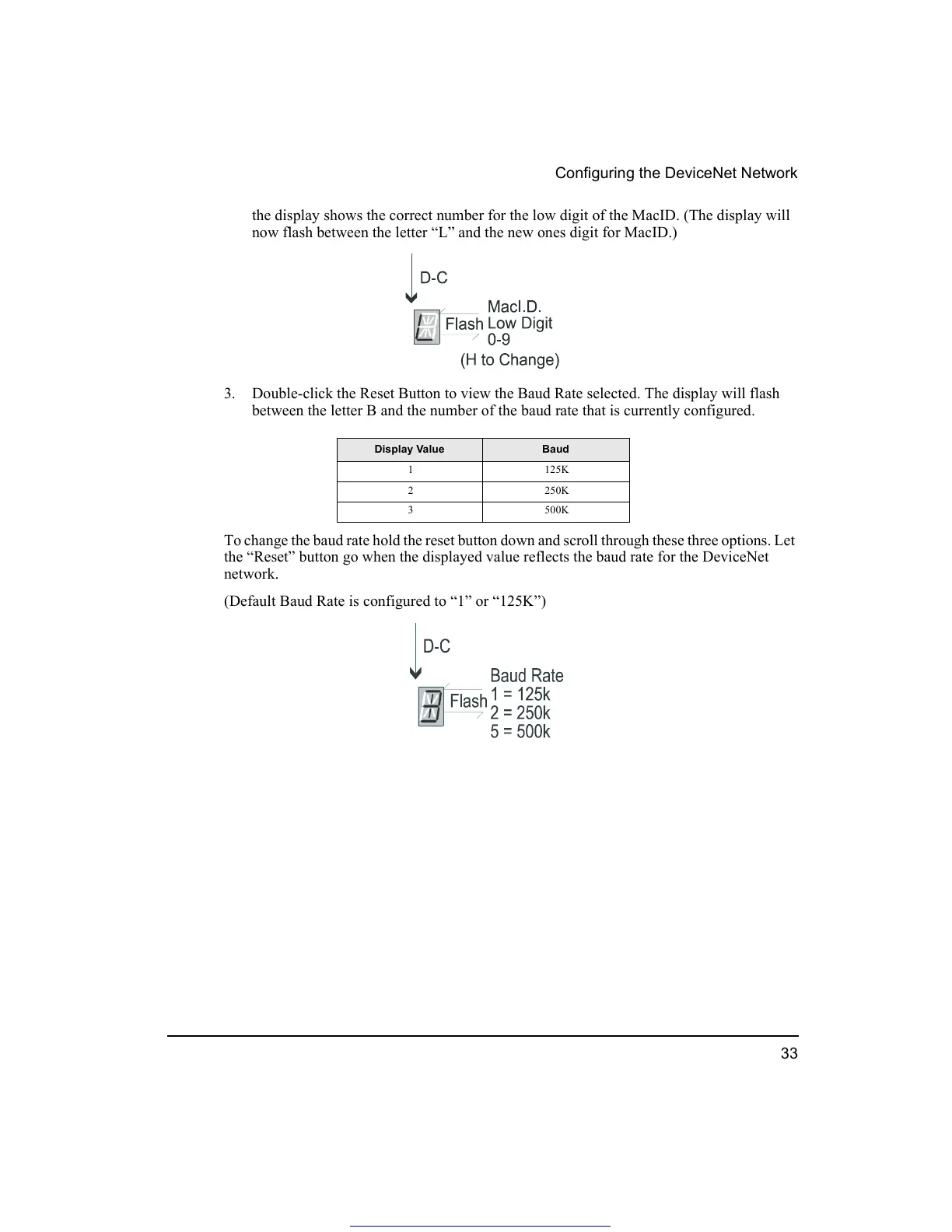
the display shows the correct number for the low digit of the MacID. (The display will
now flash between the letter “L” and the new ones digit for MacID.)
3. Double-click the Reset Button to view the Baud Rate selected. The display will flash
between the letter B and the number of the baud rate that is currently configured.
To change the baud rate hold the reset button down and scroll through these three options. Let
the “Reset” button go when the displayed value reflects the baud rate for the DeviceNet
network.
(Default Baud Rate is configured to “1” or “125K”)
Display Value Baud
1125K
2250K
3500K
Get other manuals https://www.bkmanuals.com




 To Next Page