48
Epsilon Ei DeviceNet Drive Reference Manual
Master Configuration
RS Networx™ will be used to install the Ei-DN onto the DeviceNet network as a slave. In
order to have RS Networx recognize the Ei-DN as a node on the network, an .eds file must be
installed using the .eds wizard found under the Tools menu. The .eds file is located in the
Emerson directory under Emerson\PtoolsFM\Ei.eds. An icon file can also be found in this
directory under Emerson\PtoolsFM\Ei.ico. This icon file will display the Ei-DN
graphically
in RSnetworx.
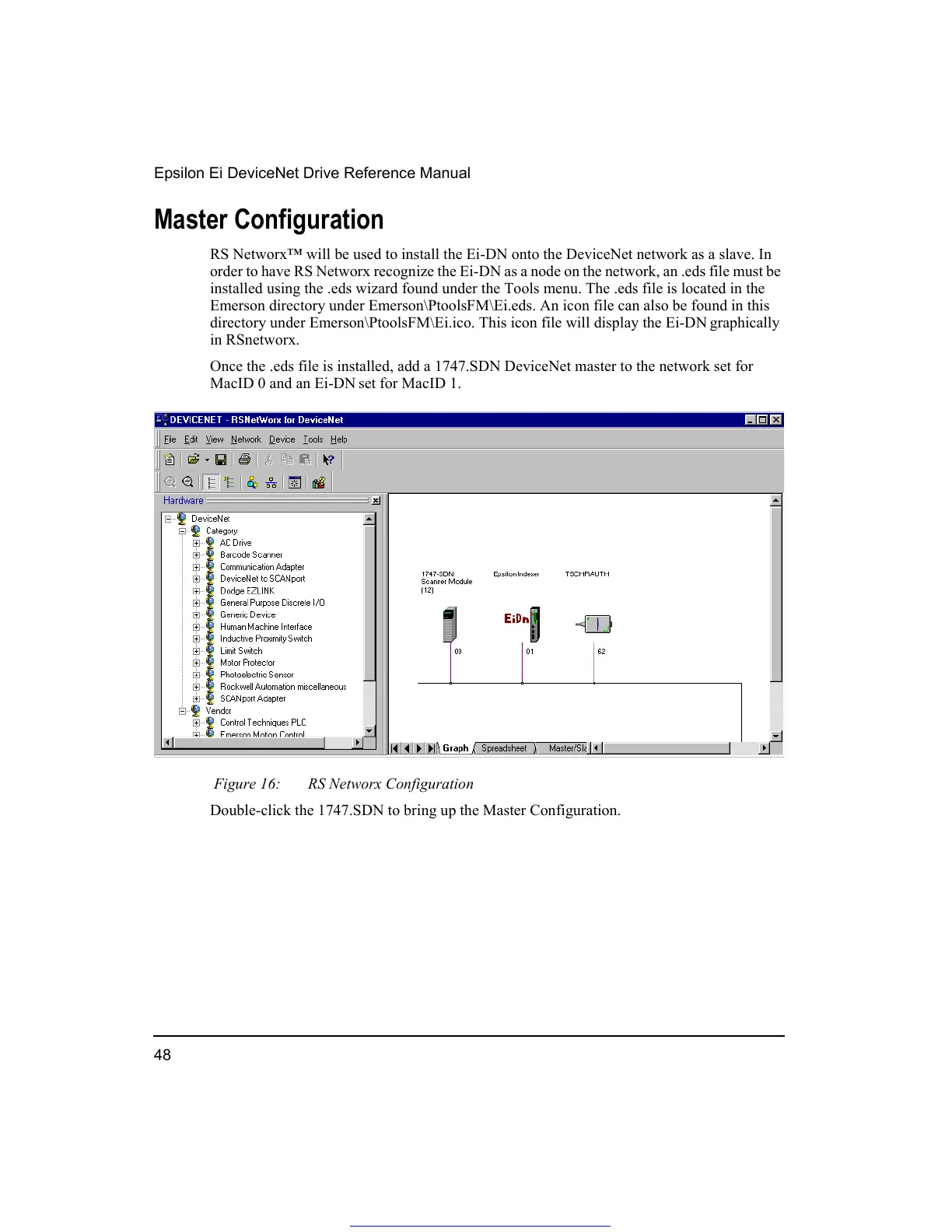
Once the .eds file is installed, add a 1747.SDN DeviceNet master to the network set for
MacID 0 and an Ei-DN
set for MacID 1.
Figure 16: RS Networx Configuration
Double-click the 1747.SDN to bring up the Master Configuration.
Get other manuals https://www.bkmanuals.com





 To Next Page