18
Network wiring
Dixell XWEB300D serial address
• Connect to the ModBUS network using cable with 2 or 3 shielded wires, minimum section 0.5mm
2
(e.g. BELDEN8772)
• Do not connect shield to ground.
• Do not connect the “Gnd” terminal.
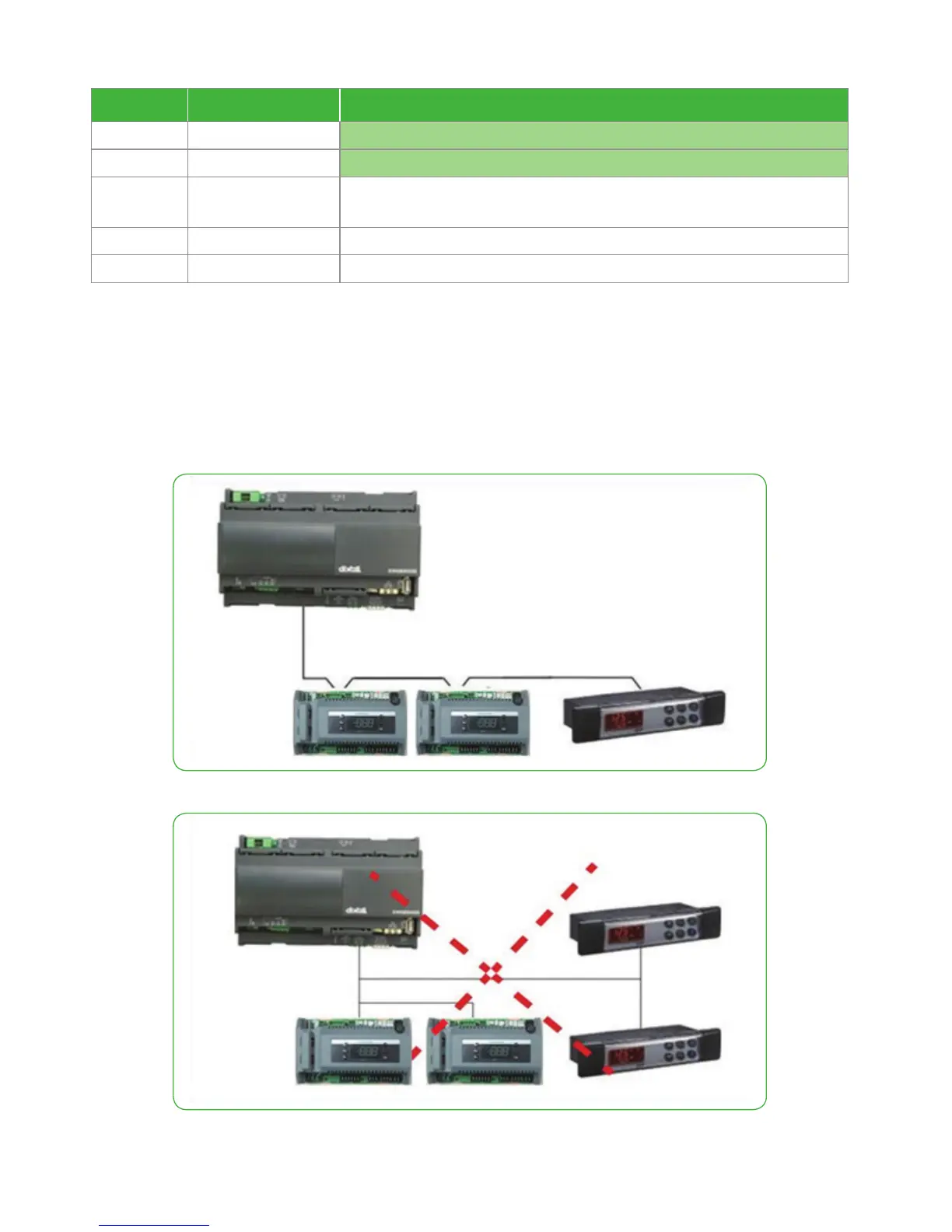
• Remember to draw a map of the line. This will help you to find an error if something is wrong.
• RS485 devices are polarity sensitive.
Figure 5. Correct network wiring
Figure 6 . Incorrect network wiring
Download the program from hot-key to controller
Step Action Phenomenon and description
1 Turn-off the controller
2 Insert hot-key
3 Turn-on the controller
The “doL” message will blink followed a by a flashing “End” label (Note: if display “Err”,
it means it fails to download program to the controller. Please restart the process.)
4 Controller will restart working with the new parameters after 10 seconds
5 Remove hot-key







 To Next Page