EasyManua.ls Logo

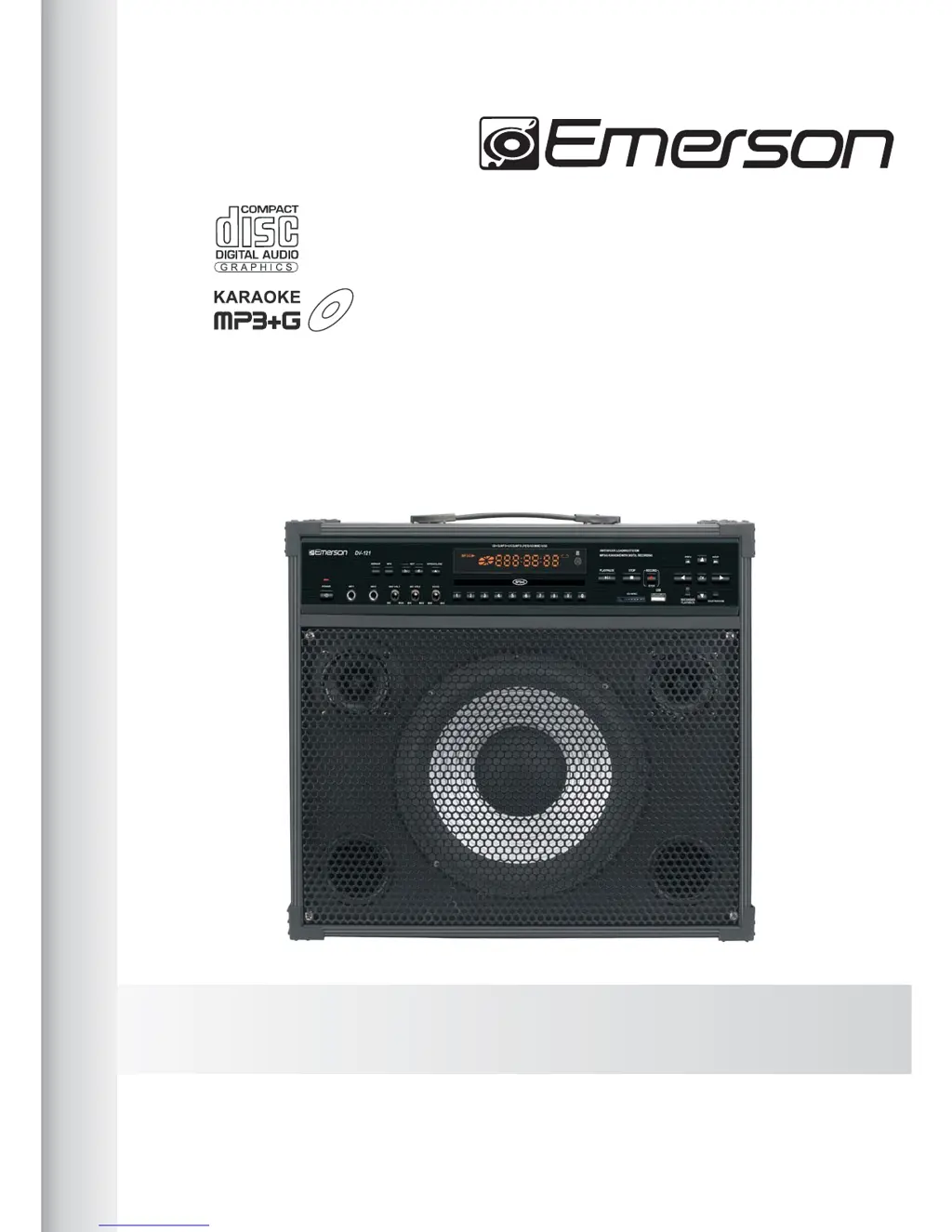
Emerson DV - 121 - User Manual

Emerson DV - 121
20 pages
Print Icon
To Next Page IconTo Next Page
Loading...
RECORDED
PLAYBACK
DISC/USB/SD
KARAOKE PLAYER
MODEL: DV - 121
User’s Guide
CD+G, MP3+G DIGITAL RECORDING
CONVERTING CD+G TO MP3+G WITHOUT COMPUTER
DIRECT ACCESS TO RECORDED SONG

Questions and Answers

  • M
    Megan VillegasAug 13, 2025
    How to fix no sound on my Emerson Karaoke System?
    • N
      Nicholas BryantAug 14, 2025
      If you're not getting any sound from your Emerson Karaoke System, there are a few things to check: * Ensure that the MASTER VOLUME and MIC VOLUME are not set to the lowest level. Increase them as needed. * Make sure the MUTE function is off. * If you're still having trouble with the microphone, it could be a bad microphone or connection. Check the MIC cable connection or contact your MIC dealer.
  • E
    Edward BoydAug 18, 2025
    Why doesn't the remote controller work on my Emerson Karaoke System?
    • T
      tonyolsenAug 18, 2025
      If the remote controller for your Emerson Karaoke System isn't working, the problem is likely the batteries. Try these steps: 1. Make sure there are 2 AAA batteries inside. 2. If batteries are present, try changing them with new ones.
  • S
    Shannon EdwardsAug 21, 2025
    What to do if my Emerson Karaoke System disc skips or won't play?
    • T
      tamara07Aug 21, 2025
      If your Emerson Karaoke System disc is skipping or refusing to play, consider these potential solutions: * Ensure the disc is loaded correctly, with the label facing up. * Inspect the disc for dirt or damage. Clean the disc or try using a different one. * If moisture has condensed on the pick-up lens, unplug the system and wait about 1 hour for the moisture to evaporate.
  • T
    Thomas CarterAug 25, 2025
    How to display song lyrics on my Emerson Karaoke System screen?
    • S
      Sheila BoydAug 26, 2025
      If song lyrics aren't showing up on your screen when using your Emerson Karaoke System, it's likely a video connection issue. Ensure the video cable is properly connected from the player's VIDEO OUT to the TV's VIDEO IN. Also, set the AV source selector to the correct AV IN on your TV or monitor.
  • M
    Michael ThomasAug 28, 2025
    How to troubleshoot no guitar sound on Emerson Karaoke System?
    • R
      Robin TaylorAug 28, 2025
      If you're not getting any guitar sound from your Emerson Karaoke System, here's what you should check: * Verify the guitar volume is turned up. * Check the guitar input volume on the side panel of the player. * Ensure that the guitar cable and jack are securely connected.
  • V
    Vanessa Alvarado DDSSep 1, 2025
    How to fix no sound from external speaker on Emerson Karaoke System?
    • D
      Diana CarlsonSep 1, 2025
      If you're not getting sound from your external speaker with your Emerson Karaoke System: * Check the INT/EXT switch on the rear panel. It should be set to EXT for external speakers. * Also, check the speaker cable and its connection to ensure it's properly connected.
  • S
    Stacey ScottSep 5, 2025
    How to troubleshoot no sound from AUX input on Emerson Karaoke System?
    • C
      Caleb CollinsSep 5, 2025
      If you're not getting any sound from the AUX input on your Emerson Karaoke System, try these steps: * Check the AUX/MIX/INT switch on the rear panel. It should be set to AUX or MIX for AUX IN. * Make sure the cable and its connection are secure.
  • B
    Benjamin WillisSep 9, 2025
    What to do if the USB doesn't work on my Emerson Karaoke System?
    • K
      Kimberly MedinaSep 9, 2025
      If the USB on your Emerson Karaoke System isn't working, the manual suggests checking with your local memory dealer and trying a different USB brand. The system may not be able to read and play from unauthorized USB memory.

Summary

Safety Precautions

Important Safety Instructions

Preparations Before Operation

Precautions for Discs

Guidelines for handling and cleaning discs to ensure optimal playback.

Front Panel Overview

Record Button

Initiates and stops recording.

Remote Control Functions

Volume and Key Controls

Adjusts audio volume and transposes the music key.

Recording and Playback Buttons

Buttons for recording audio and playing back recorded songs.

Connections

Inserting USB or Card

Information on inserting USB flash drives or SD cards into the player.

Connecting to TV;Monitor

How to connect the player to a TV or monitor for video output.

Connecting External Speakers

Instructions for connecting external speakers to the rear panel output.

Basic Operations

Playing Discs

Step-by-step guide to playing discs on the karaoke system.

Microphone Controls

How to connect and adjust microphones for karaoke.

Karaoke Playback

Instructions for singing along with music and viewing lyrics.

Advanced Operations

Recorded Playback

How to play the latest recorded song automatically.

Recording & MP3+G Functions

Recording Functionality

Details on recording music and vocals using the player's inputs.

MP3+G File Format Explained

What MP3+G files are and where to find them.

Play, Record and Recorded Playback

Karaoke File Playback

How to play karaoke files from discs, USB, or SD cards.

Recording Process

Steps for recording songs from CD+G/CD or MP3+G sources.

Playback of Recorded Songs

Two methods for playing back recorded songs: Folder Access and Direct Access.

Others

Trouble Shooting Guide

A chart to help diagnose and solve common operating problems.

Technical Specifications

Detailed technical information about the karaoke system's power, audio, and dimensions.

Emerson DV - 121 Specifications

General IconGeneral
BrandEmerson
ModelDV - 121
CategoryKaraoke System
Supported MediaDVD, CD
Playable FormatsCD, CD
Video OutputComposite Video
Audio OutputRCA Stereo
Microphone Input2 x 1/4" Jack
Power SupplyAC 120V
TypePortable DVD Player with Karaoke

Related product manuals