RECORDED
PLAYBACK
14
ADVANCED OPERATIONS
SEARCH PLAY
----
----
----
----
1
2
3
4
----
----
----
----
5
6
7
8
----
----
----
----
9
10
11
12
----
----
----
----
13
14
15
16
PROGRAM
PLAY CLEAR
PROGRAMMED PLAY
CD+G/MP3+G/CD/MP3/VCD PROGRAMMING
1.
Press PROGRAM on the remote control, the
program menu appears on the TV screen.
2. Use the navigation keys ( / / / ) to select
the track for CD+G/MP3+G/CD/MP3/VCD and
press OK, the track or title / chapter is added in
the program play list.
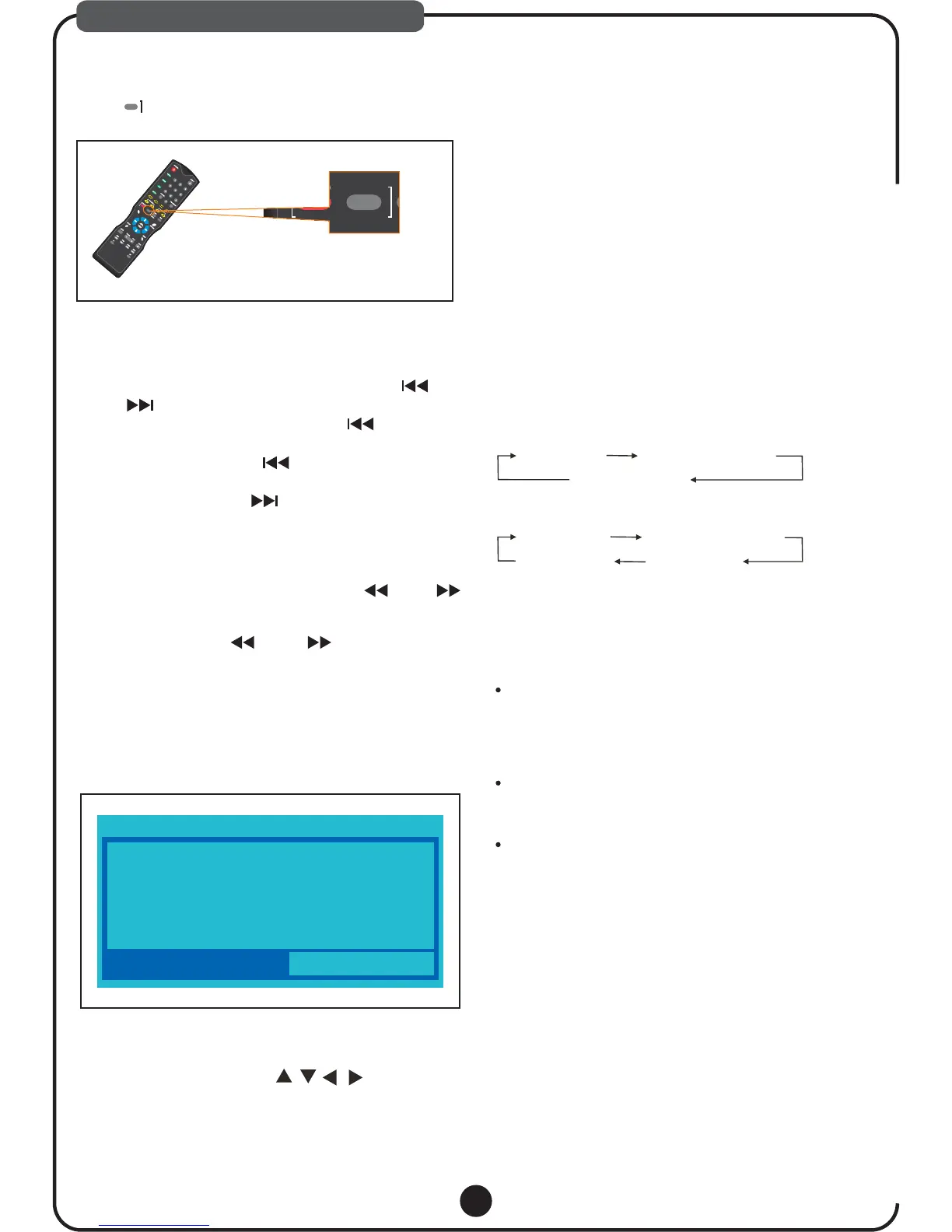
Press ,on remove to play latest recorded song
automatically.
RECORDED PLAY BACK
4. Press PLAY/PAUSE or highlight the PLAY on the
screen and press OK to start programmed
playback.
Programmed Play automatically stops at the end of the
last programmed track or title/chapter.Highlight the
CLEAR on the screen and press OK to delete the last
track or title/chapter in the program list. Highlight the
CLEAR ALL on the screen and press OK to erase the
entire programmed sequence.
3. Repeat the above steps to add more tracks
title/chapter in the program list.
SKIPPING TRACKS
While the disc is stopped, you can skip up or down
to select a specific track by pressing PREV /
NEXT . To play the selected track, press PLAY.
While a disc is playing, press PREV once to
skip back to the beginning of the current track.
Repeatedly press PREV to search backward
to the beginning of the desired track.
Repeatedly press Next to search forward to
the beginning of the desired track.
While the disc is playing press REV FWD
to search backward or forward Press PLAY to
resume the normal playback
Each time the REV FWD button is pressed
the speed of backward forward search
changes at speed x2, x4, x8, x20
,/
.
.
/,
/
:.
REPEAT PLAY
While playing a disc, press REPEAT on the remote
control repeatedly to choose a repeat play mode.
CDG/MP3G/VCD/SVCD/CD KARAOKE DISC
Repeat off Repeat one track
Repeat all tracks
MP3/JPEG/AVI
Repeat off Repeat one track
Repeat all Repeat DIR
REPEAT A SPECIFIC SECTION
A-B repeat playback allows a specific section
to be repeated.
While the disc is playing, press A-B button to set the
beginning of the section (point A) to be played
repeatedly.
Press A-B button again to set the end of the section
(point B) to be played repeatedly.
The unit will then immediately begin replaying the
selection (A to B) repeatedly.
Note: These functions only be used when playing in
CD+G/MP3+G/CD/MP3/VCD
Note: .In MP3G/CDG the state, these functions can not be used
DISC/USB
/SD
STOP
RECORDED
PLAYBACK



 To Next Page