<DISC>
<SD> <USB>
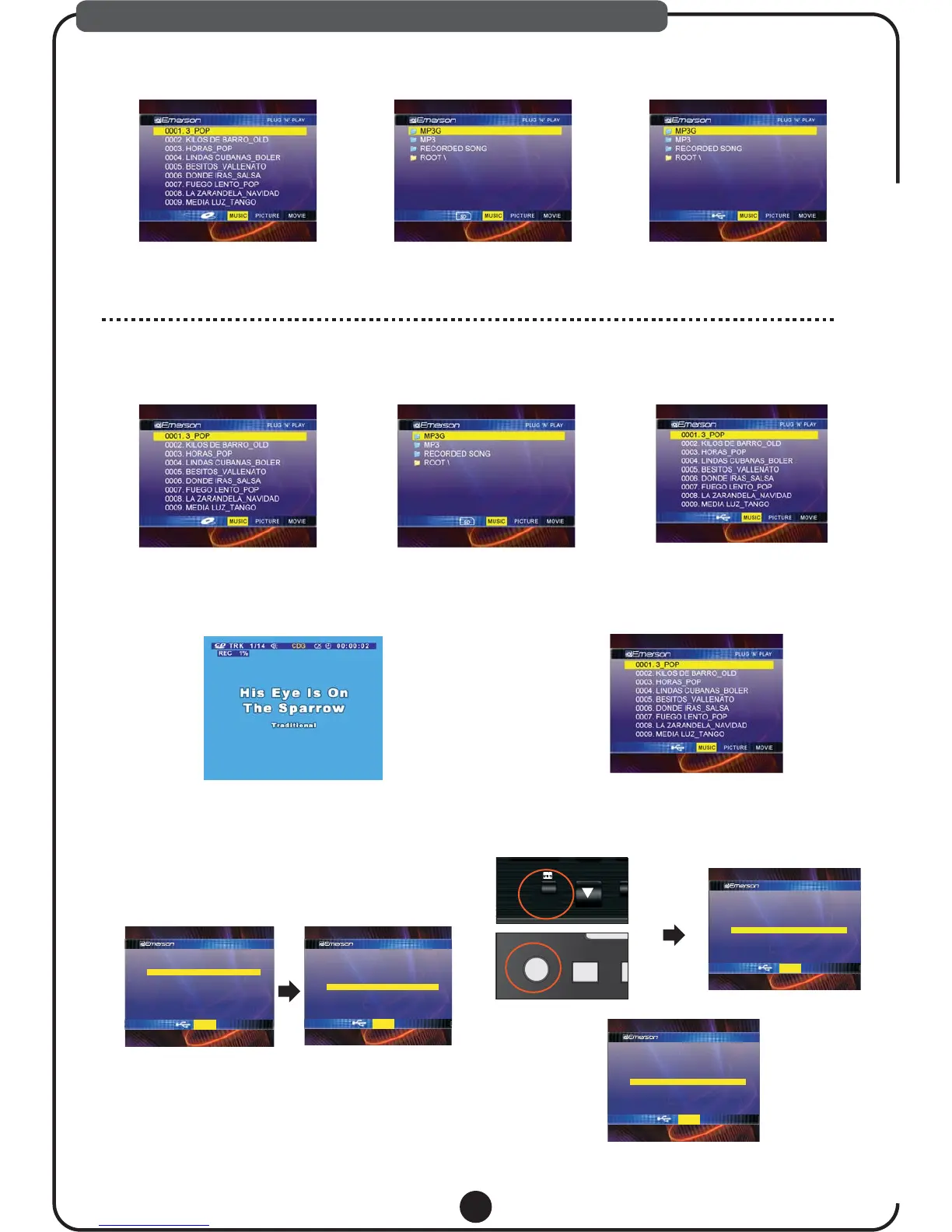
1.Start Up Screen
2.KARAOKE PLAY
Use [UP] and [DOWN] arrow key then
press [PLAY],[OK] or [ENTER]
Selected song will play with lyric.
<DISC>
Select MP3G folder then press [OK] or [ENTER], All MP3G KARAOKE files in the
USB or SD will be shown like below.
<USB><SD>
3.RECORDING
a. Play song which you want first.
b. Press [RECORD] while playing to start record.
c. Press [RECORD] one more time to recording.
<CD+G/CD>
a. Select song which you want then.
b. Press [RECORD] to start recording.
c. Press [RECORD] one more time to stop recording.
<MP3+G>
All recorded song will be stored [RECORDED SONG] folder MP3+G Recorded song will be stored Original File name
CD+G/CD Recorded song will be stored “ Track#”
Note:
USB/SD must be inserted before start recording
There is two way to play recorded song.
Select [RECORDED SONG] folder, select recorded
song then play.
Note:
4.RECORED PLAYBACK
1). Folder Access
16
When you insert Disc or plug USB/SD memory, Above start up screen will be shown in the TV screen. First three” MP3G,
MP3&RECORDED SONG” folders are virtual folder for Emerson DV series only(Can’t be shown in the regular personal
computer). If you don’t make your own folder,”ROOT”will be shown. These three virtual folder will show all KARAOKE and
Mp3 related files in the USB/SD (Automatically Organized by file type). In USB or SD mode, if you press OPEN/CLOSE
it will switch to DISC mode automatically.
PLUG 'N' PLAY
0001.TRACK001
0002.TRACK002
0003.TRACK003
0004.TRACK004
0006.DONDE IRAS_SALSA
0007.FUEGO LENTO_POP
0008.LAZARANDELA_NAVIDAD
0005.TRACK005
MUSIC PICTURE MOVIE
0001~0005 Recorded from CD+G/CD
0006~0008 Recorded from MP3+G
PLUG 'N' PLAY
MP3G
Mp3
ROOT\
RECORDED SONG
MUSIC PICTURE MOVIE
PLUG 'N' PLAY
0001.TRACK001
0002.TRACK002
0003.TRACK003
0004.TRACK004
0006.DONDE IRAS_SALSA
0007.FUEGO LENTO_POP
0008.LAZARANDELA_NAVIDAD
0005.TRACK005
MUSIC PICTURE MOVIE
PLUG 'N' PLAY
0001.TRACK001
0002.TRACK002
0003.TRACK003
0004.TRACK004
0005.TRACK005
MUSIC PICTURE MOVIE
RECORDED
PLAYBACK
DISC/S
RE
RECORDED
PLAYBACK
DISC
SD/USB
PLAY, RECORD AND RECORDED PLAYBACK
2). Direct Access
The other HOT FUNCTION is [RECORDED PLAYBACK]
function. After recording, press [RECORDED PLAYBACK]
screen will show all your recorded songs then automatically
play latest recorded song.



 To Next Page