SETTING TV CHANNELS (CONTINUED)
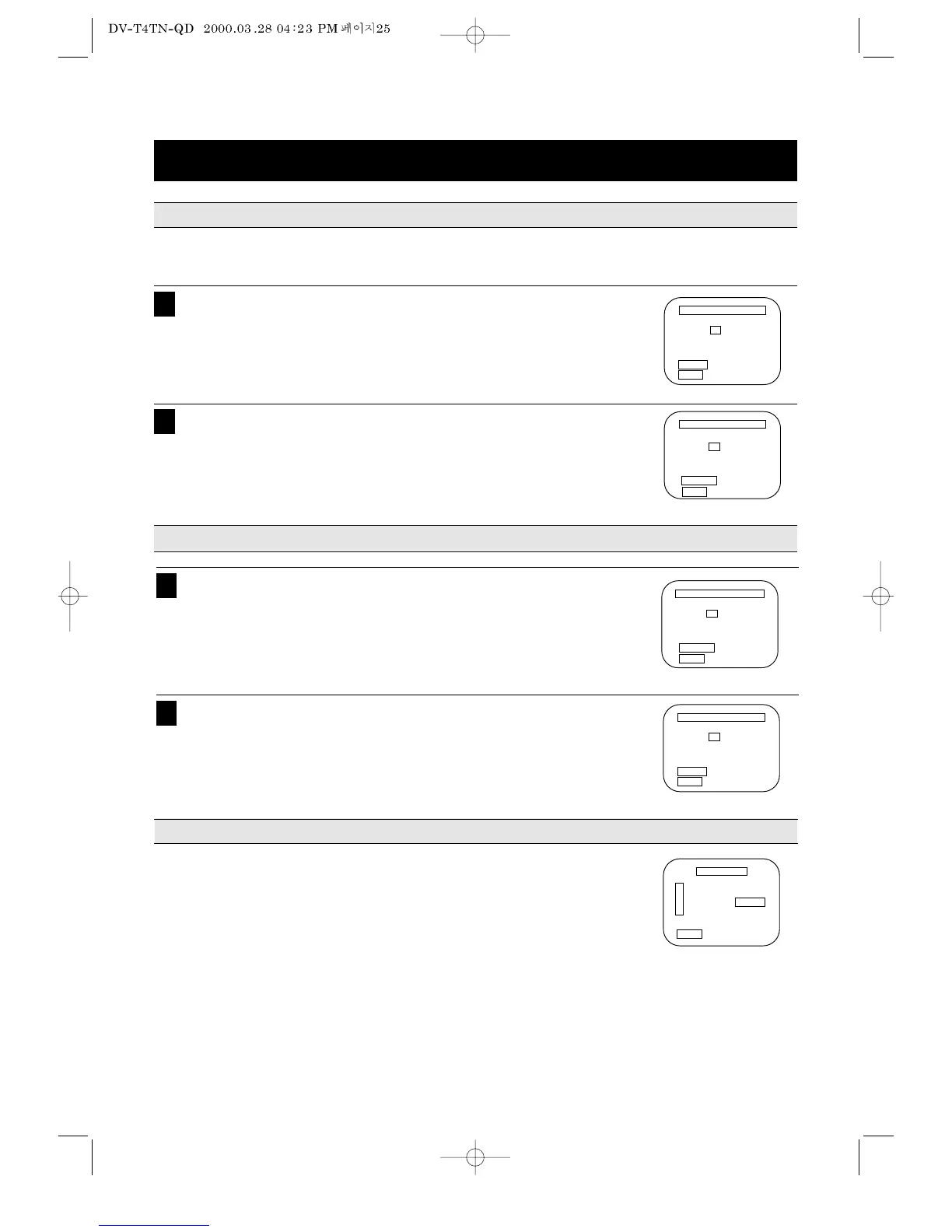
To memorize additional channels not set by the AUTO CHANNEL SEARCH function and to remove unnec-
essary channels.
TO DELETE A CHANNEL
TO ADD A CHANNEL
SIGNAL TYPE SELECTION
25
Press the number key 3 in the MENU mode to select the CHANNEL SET
mode and press the number key 2 to select the Add/Remove
Channels.
Use 0-9 to enter the channel you want to remove.
1
Press the number key 3 in the MENU mode to select the CHANNEL SET
mode and press the number key 2 to select the Add/Remove
Channels.
Use 0-9 to enter the channel you want to add.
1
Press CLEAR key to erase the channel.
Press MENU key three times to exit from the menus.
2
Press DISPLAY key to add the channel.
Press MENU key three times to exit from the menus.
2
•Press the Direct Access key 3 in the MENU mode to select the CHANNEL
SET mode.
•CABLE or ANTENNA indication will be changed by pressing the Direct
Access key 3 in the CHANNEL SET mode.



 To Next Page