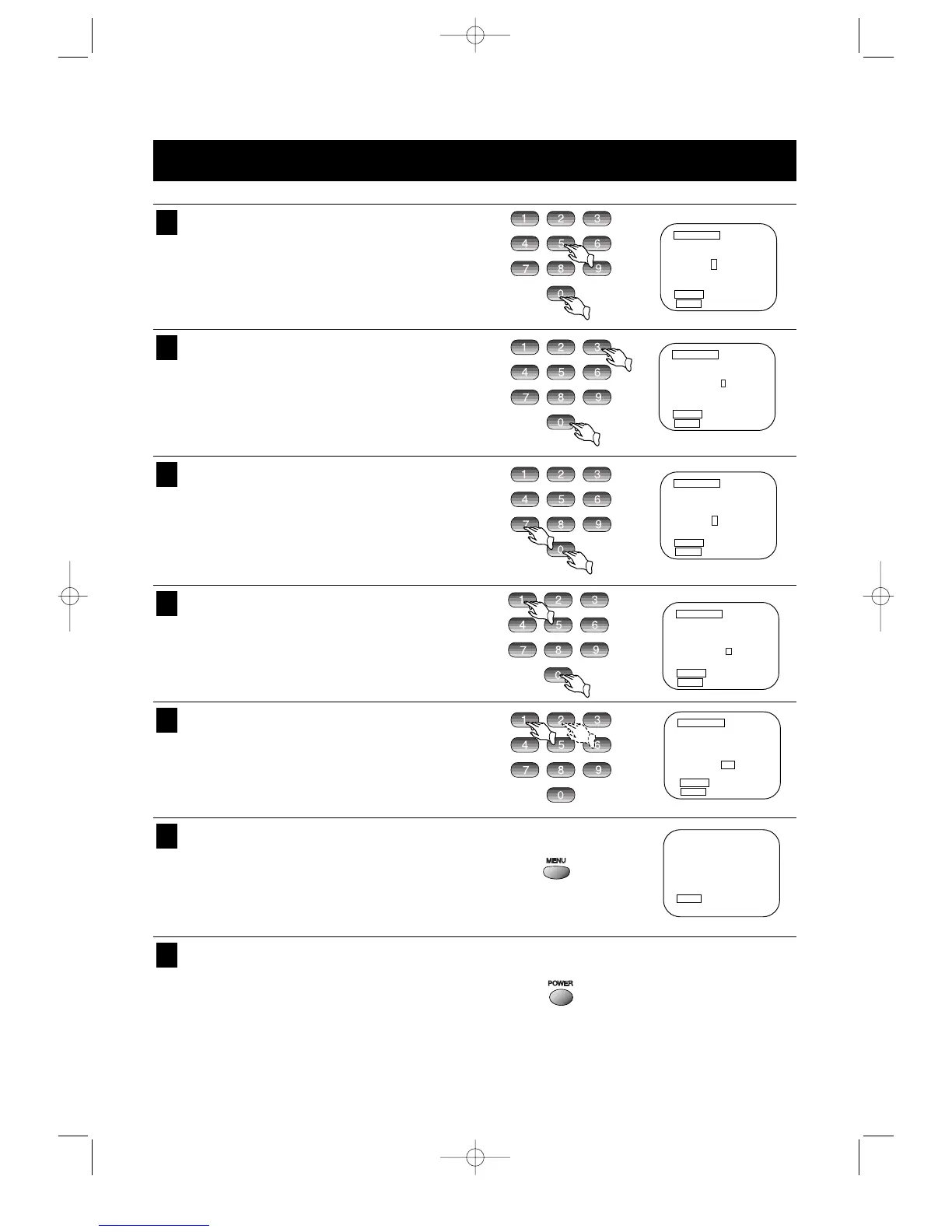
ON-SCREEN TIMER PROGRAMMING (CONTINUED)
31
Press the number keys to set the Hour (05).
8
Press the number keys to set the Minute (30).
AM/PM and the current date/year will be selected
automatically.
9
Press the number keys to set the Month (07).
10
Press the number keys to set the Day (10) and
then Year (00) will be set automatically.
11
Press the number key 1 or 2 key to select the
recording speed SP or EP.
12
For additional programming, repeat steps 1
through 12.
Press the Menu key and the following screen will
appear.
13
Press the POWER key and the Power will turn off
and the Timer indicator will light on the Display
Panel.
14



 To Next Page