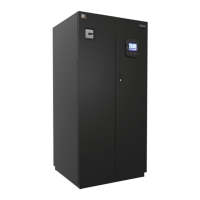
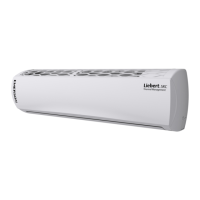
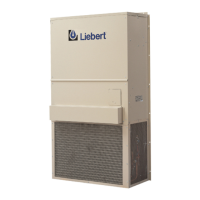
Liebert iCOM Display Components and Functions
25
4.7 Entering Network Setup Information
Setting up a U2U network requires setting a unique IP addresses for each unit, choosing a U2U
address and designating the U2U group. Refer to Figure 17 for the setup screen for the control board
(installed inside the Liebert Challenger 3000/Liebert Challenger ITR) and Figure 18 for the setup
screen for the Liebert iCOM on the front of the Liebert Challenger 3000/Liebert Challenger ITR.
Figure 17 Control board U2U network setup screen
Figure 18 Liebert iCOM display U2U network setup screen
SYSTEM/NETWORK SETUP (page 2 of 2)
Attention: any changes done on these parameters
must be followed by a 'Save+Reboot ' command
SYSTEM
PASSWORD (Actual Level 3)
Monitoring Protocol
IP Address
Netmask
Gateway
MAC
U2U Protocol
U2U Address
U2U Group
Bootloader Variables
Static RAM
S834
S835
S836
S837
S838
S839
S840
S841
S842
S843
S844
????
Velocity
126.001.060.212
255.255.255.192
126.001.060.213
00:00:68:19:02:03
GBP
1
15
OK No
OK No
SYSTEM/NETWORK SETUP (page 2 of 2)
Attention: any changes done on these parameters
must be followed by a 'Save+Reboot ' command
SYSTEM
PASSWORD (Actual Level 3)
IP Address
Netmask
Gateway
MAC
U2U Protocol
U2U Address
U2U Group
Bootloader Variables
S812
S813
S814
S815
S816
S817
S818
S819
S820
S821
S822
????
126.001.060.212
255.255.255.192
126.001.060.212
00:00:68:19:21:23
GBP
33
15
OK No



 To Next Page
 Loading...