User Manual 10H52188UM60 - Rev. 2 - 09/2012 45
Liebert NXC Operation And Display Panel
5.2.2 Primary Screen
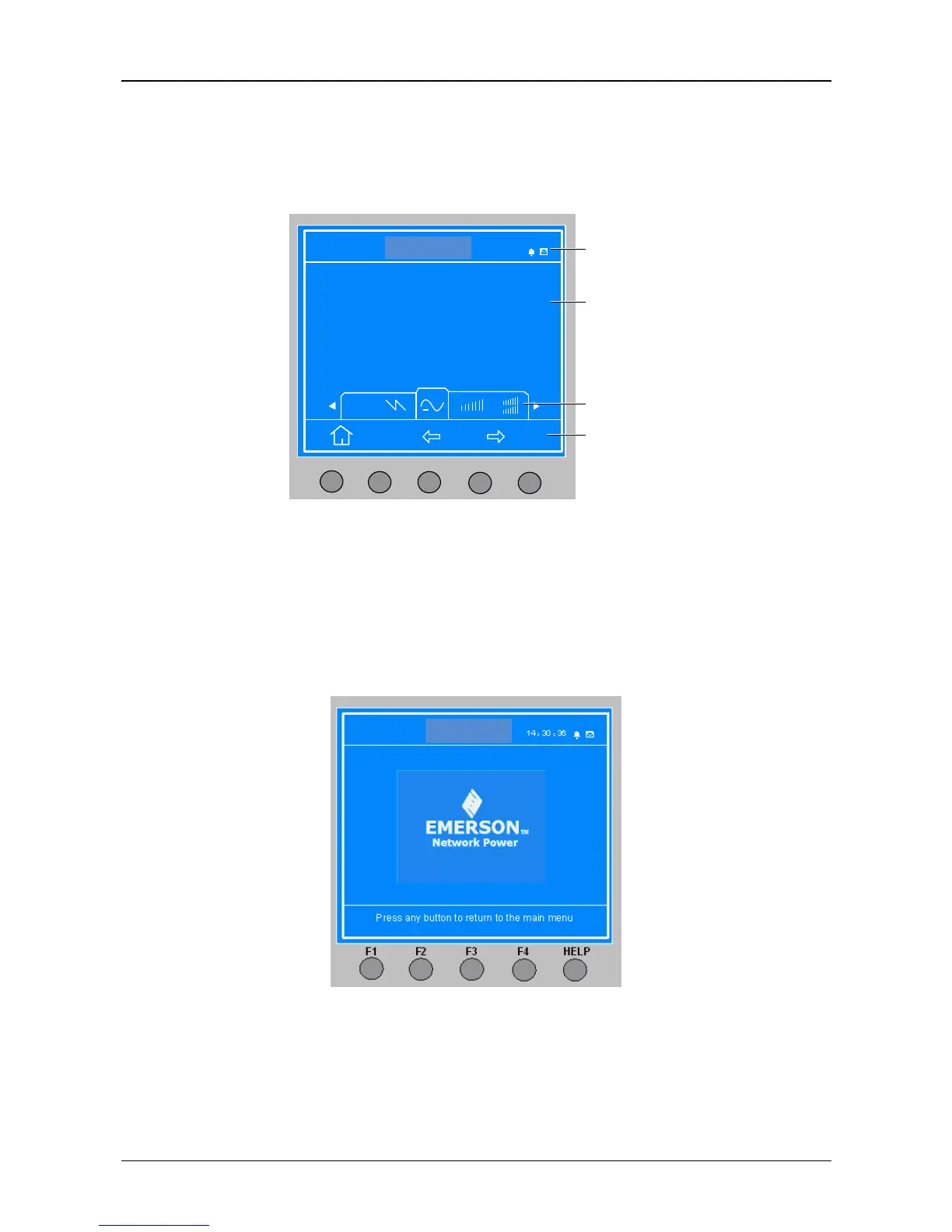
After the UPS system self-test, the primary screen shown in Figure 5-3 will appear. The primary screen is composed of four
windows: system information window, data window, menu window and keypad window.
ITA 016kVA
14:30 :36
Output
F1
F2 F3 F4
HELP
Unit 1#
A(AB) B(BC) C(CA)
= =〉
L-N voltage (V) 0.0 0.0 0.0
L-N current (A) 0.0 0.0 0.0
Frequency (Hz) 0.00 0.00 0.00
L-L voltage (V) 0.0 0.0 0.0
Power factor 0.00 0.00 0.00
System
information
window
Data window
Menu window
Keypad window
Figure 5-3 Primary screen
The current icons on top of the F1 ~ F4 and HELP menu buttons give the explanations of each button. From any menu in the
primary screen, pressing the F1 button will return to the ‘Output’ menu. For details about the primary screen, refer to 5.3.
5.2.3 Default Screen
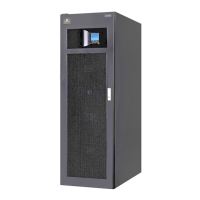
During the UPS operation, if there is no alarm within 2 minutes, the default screen shown in Figure 5-4 will appear. After a
short while, the LCD backlight will turn off. Press any menu button (F1 ~ F4, HELP), the primary screen will appear again.
Figure 5-4 Default screen






 To Next Page