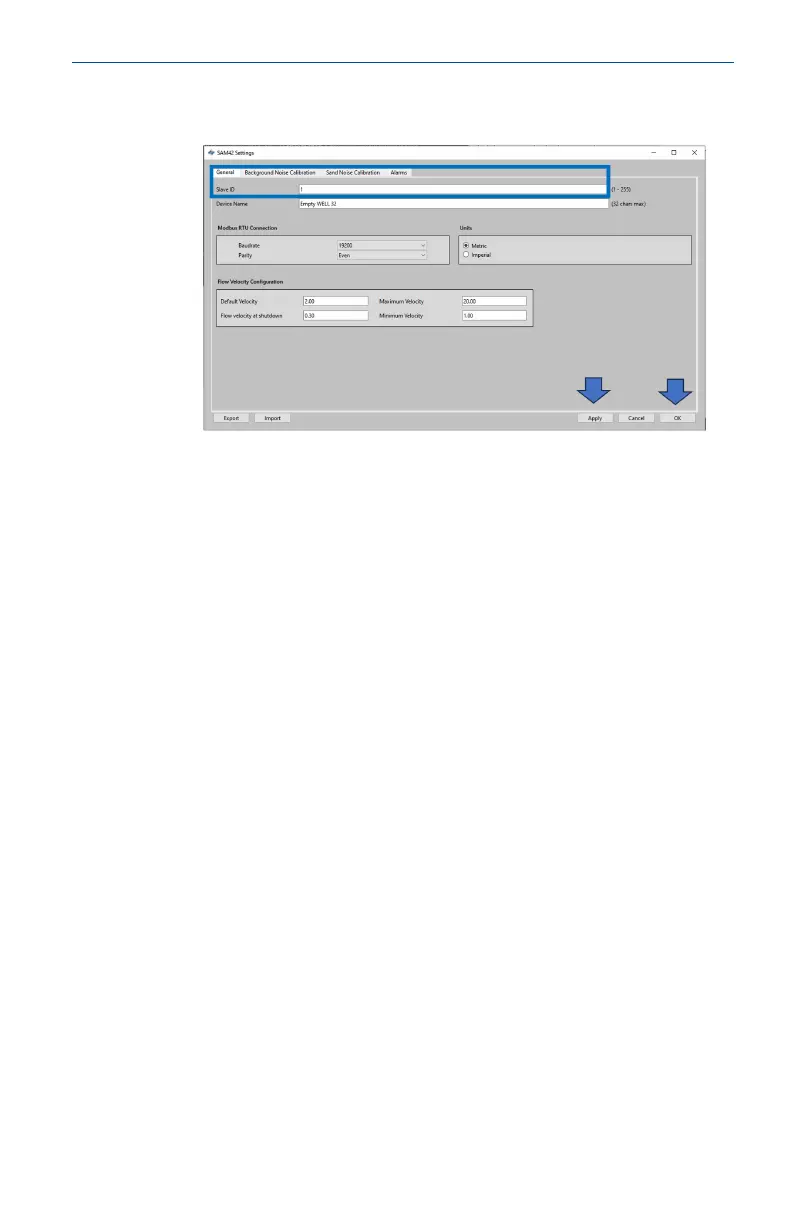
5. In the Settings window as shown below, the name of the
device may be set.
a. In the Slave ID field, enter a unique ID which should
be different to the other devices which are being
installed/are installed.
This is a numeric only field with a value between 1 –
247.
b. In the Device Name field, enter a meaningful device
name which can be used to identify the device.
This field is limited to 32 characters.
c. Once entered, press Apply to write this to the device.
d. Press OK to return to the home screen.
May2024 Quick Start Guide
Quick Start Guide 13













 To Next Page