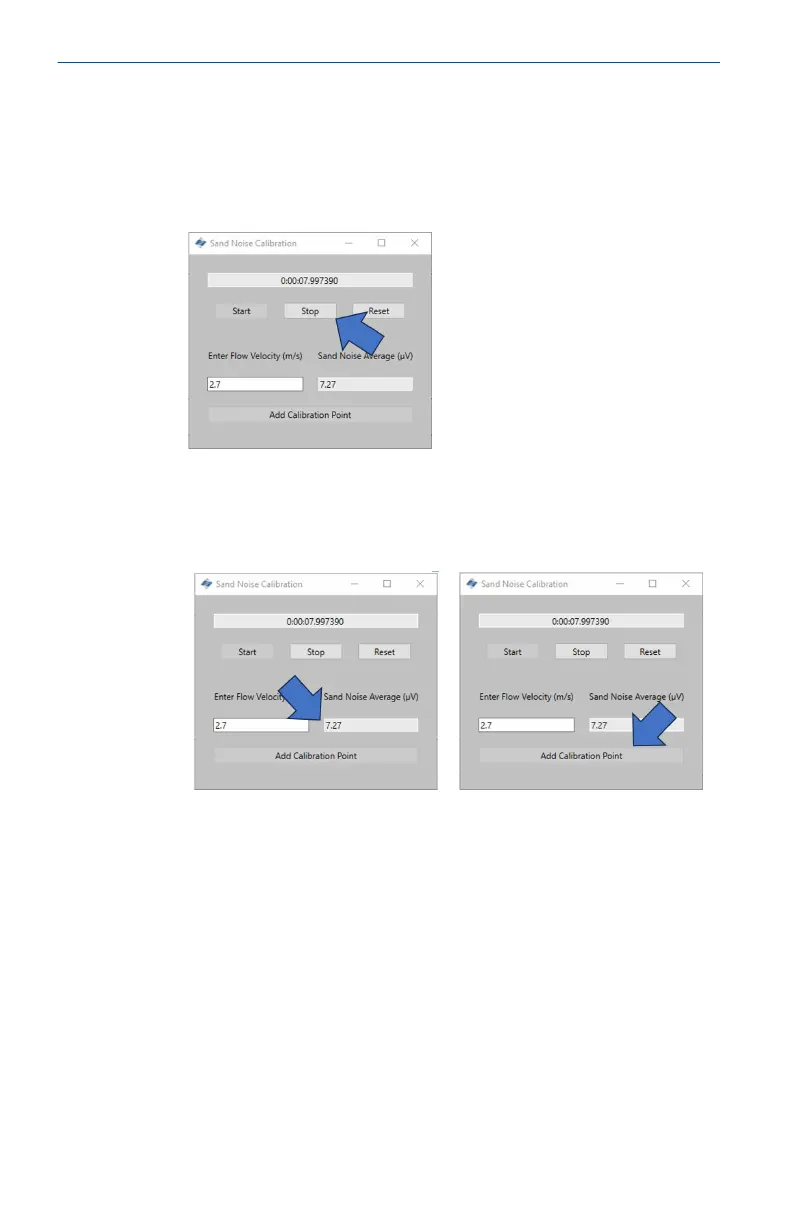
3. Wait until the injection has completed before stopping the
recording. It should be noted that once the injection has
completed it may take some time for the remaining sand to
travel to where the device is mounted (dependent on distance
and flow velocity). To stop the recording, press the Stop
button.
4. Ensure there is a value in the Sand Noise Average cell which
shows data has been recorded. To record this data in the
Sand Noise Calibration table, press the Add Calibration Point
button.
5. Repeat this process for the remaining velocities in the
schedule. This is done by pressing the Reset button and
repeating the steps above until the three data points have
been collected.
Close the window and return to the Sand Noise Calibration
window where data will now be present in the top table.
Quick Start Guide May2024
48 Emerson.com/Rosemount





 To Next Page