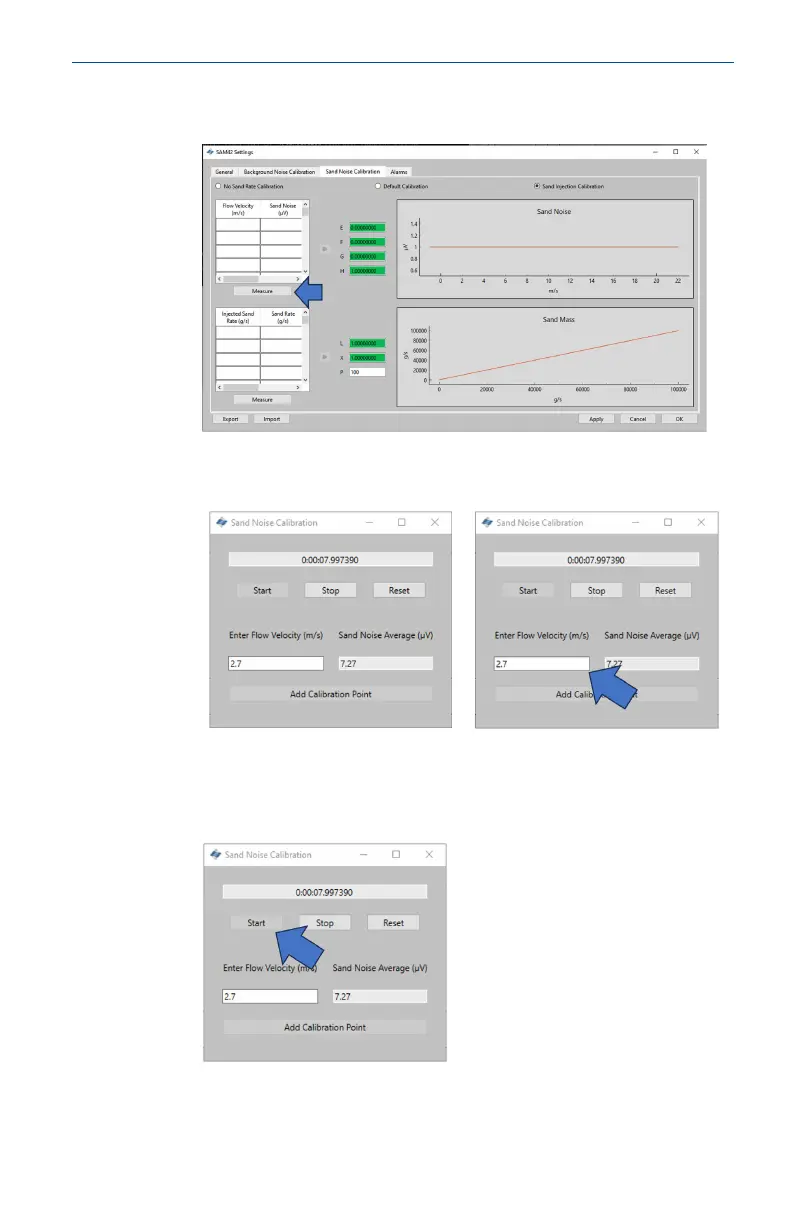
6. Press the Measure button under the top table on the left-hand
side of the window.
7. The measurement window will open. Manually enter the flow
velocity at which the test will be conducted.
8. Start the recording of the data just before starting the
injection of the sand to ensure that the time when sand
impacts is captured. To start recording, press the Start button.
May2024 Quick Start Guide
Quick Start Guide 49





 To Next Page