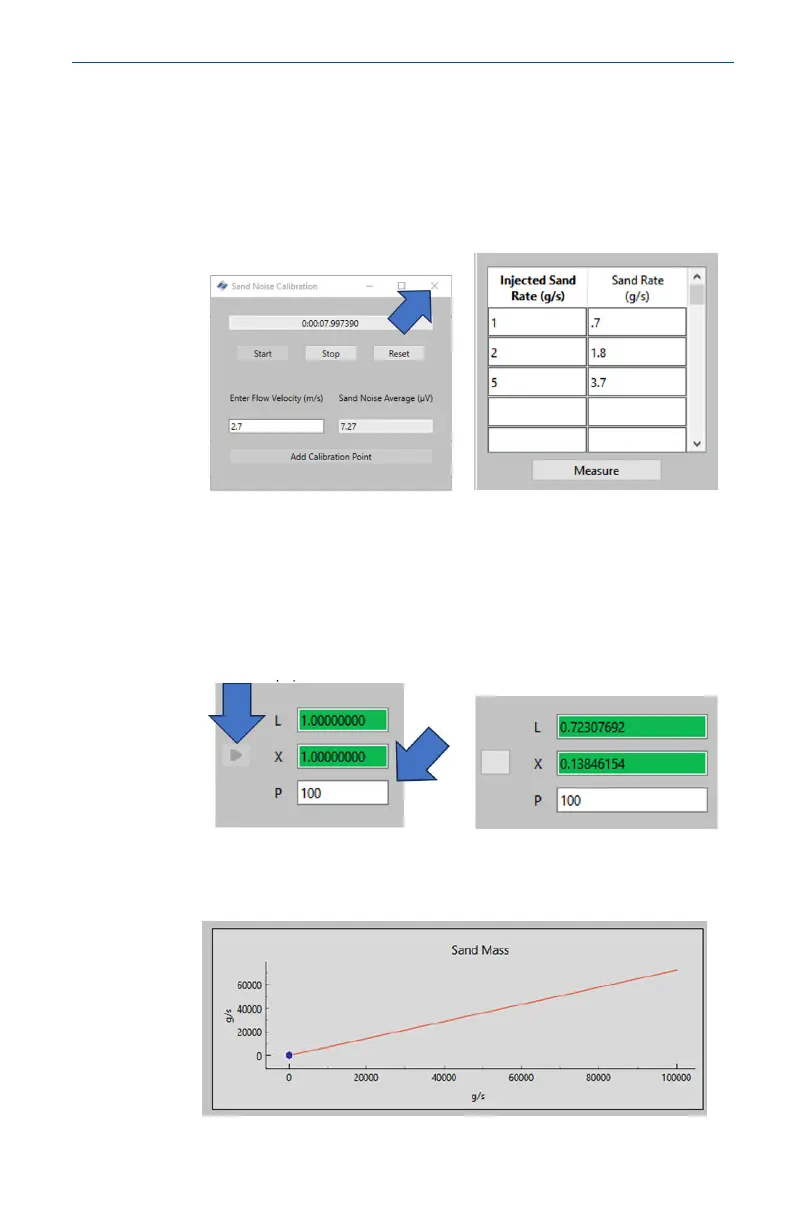
6. Repeat this process for the remaining velocities in the
schedule. This is done by pressing the Reset button and
repeating the steps above until the three data points are
complete.
Close the window and return to the Sand Noise Calibration
window where the top table will now have data.
7. The next step is to compute the next four coefficients for the
device to be calibrated by entering the particle size, which
has been used for testing, which should be representative
of the particles that will be seen during operation. Press the
grey arrow (➤) next to the table which will populate the
coefficients.
8. The scale of the y-axis will have changed from the initial
screen, verifying the calibration.
May2024 Quick Start Guide
Quick Start Guide 55













 To Next Page