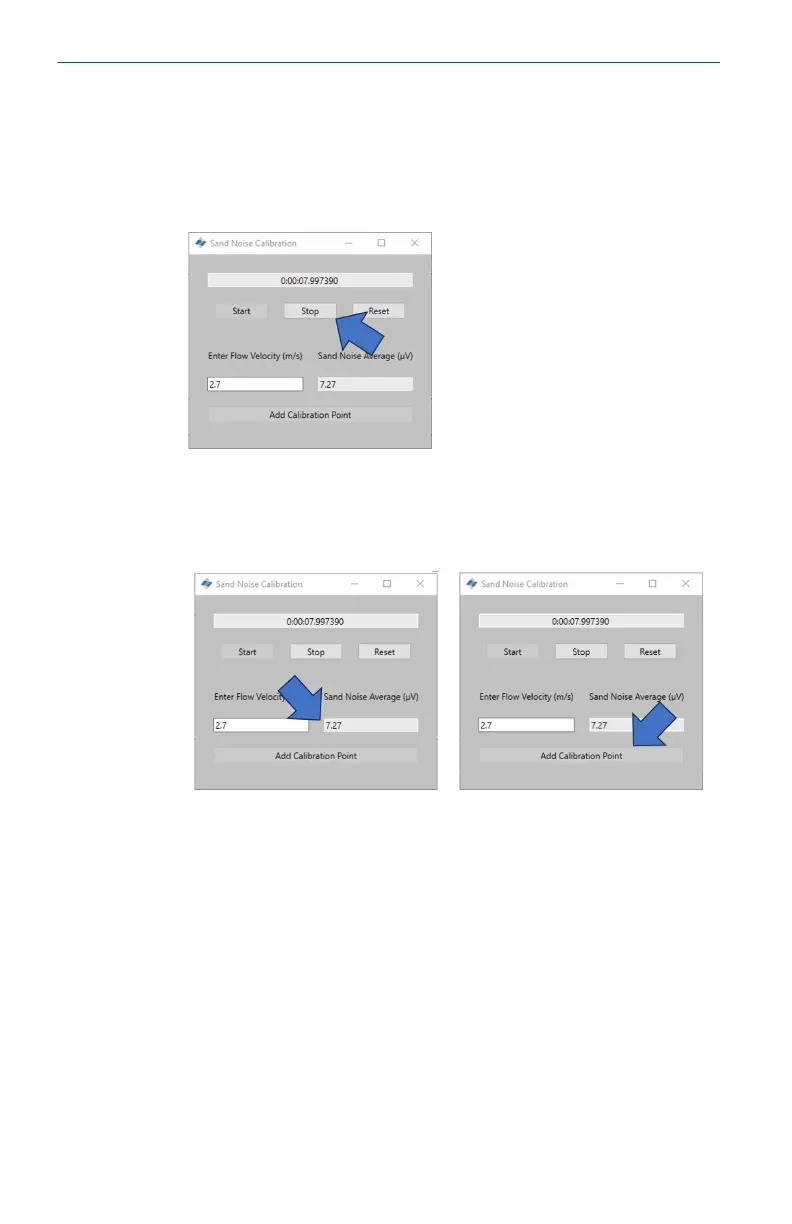
4. Wait until the injection has completed before stopping the
recording. It should be noted that once the injection has
completed it may take some time for the remaining sand to
travel to where the device is mounted (dependent on distance
and flow velocity). To stop the recording, press the Stop
button.
5. Once the recording is stopped, ensure there is a value in the
Sand Noise Average cell which shows that there has been data
recorded. To record this data in the Sand Noise Calibration
table, press the Add Calibration Point button.
Quick Start Guide May2024
54 Emerson.com/Rosemount













 To Next Page