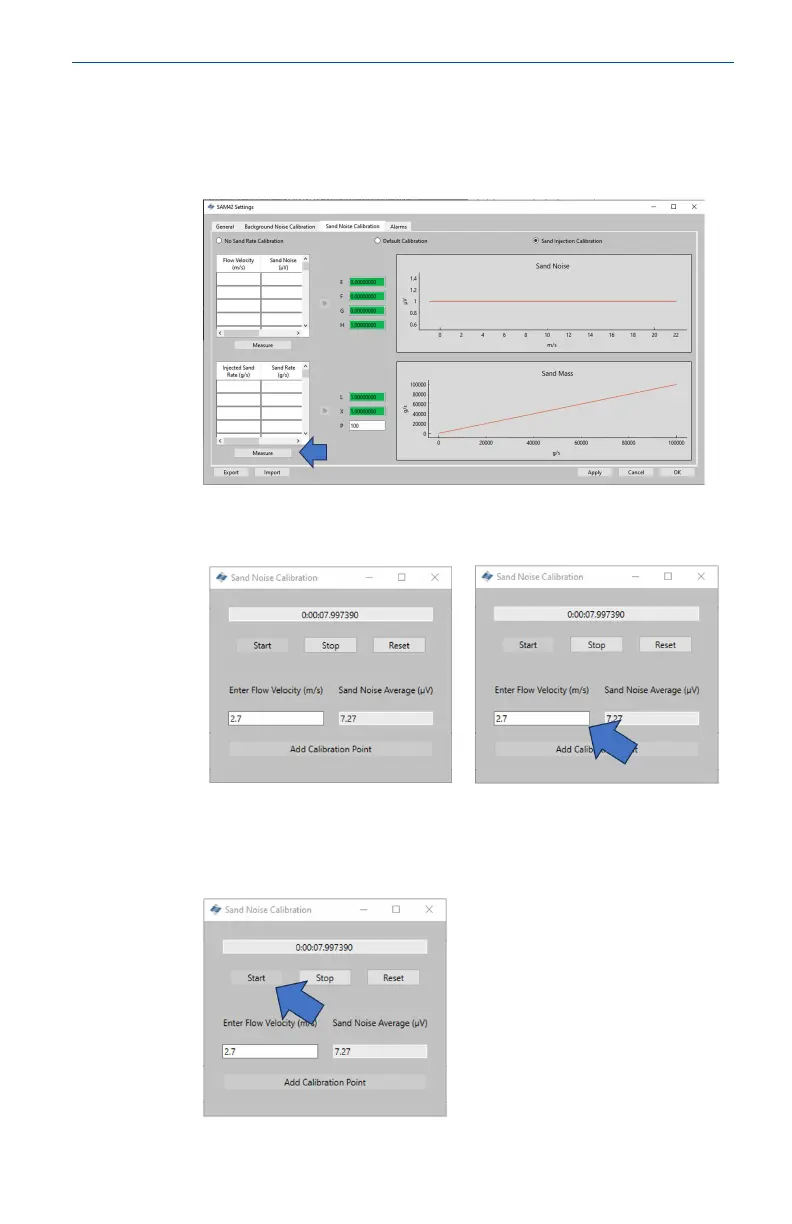
Procedure
1. Press the Measure button under the table in the bottom left-
hand side of the window which will bring up the data capture
window.
2. In the Measurement window which opens, manually enter the
flow velocity at which the test will be conducted.
3. Start the data recording just before starting the injection of
the sand to ensure that the time sand starts to impact is
captured. To start recording, press the Start button.
May2024 Quick Start Guide
Quick Start Guide 53













 To Next Page