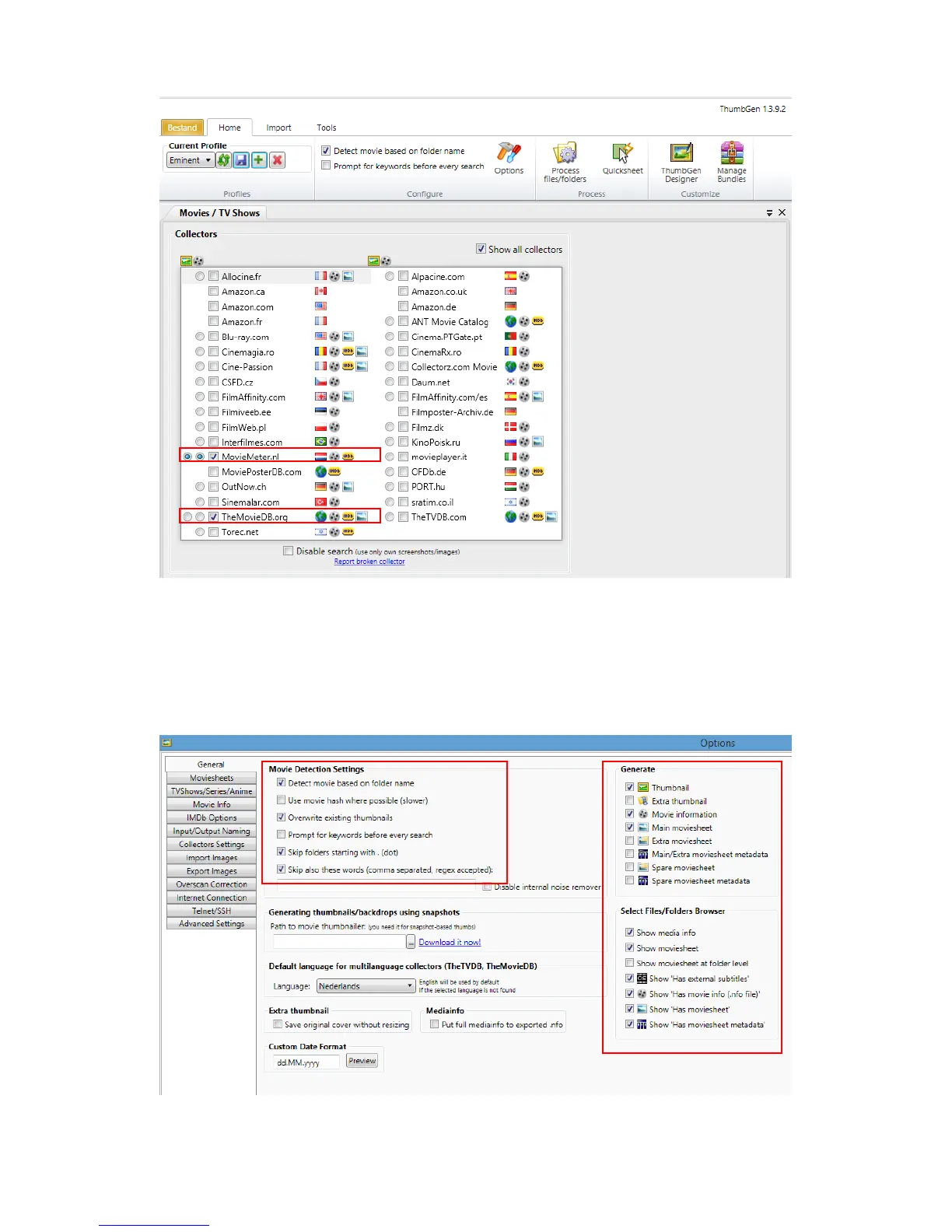
6. In this case, we have selected a dutch database for retrieving the (detailed)
information and cover art.
7. Click ‘Option’ after which the Option page appears. On this option page you need
to select which information needs to be shown. We only want the thumbnail and
the main movie sheet to be added, as shown in the following image:



 To Next Page