PSET
°C
°F
VV
PO
AO1
AO2
A
AT ASET1 ASET2
M
SET
P
AT A/M
°C
°F
VV
PO
AO1
AO2
A
AT PSET ASET1 ASET2
M
SET
P
AT A/M
PSET
°C
°F
VV
PO
AO1
AO2
A
AT ASET1 ASET2
M
SET
P
AT A/M
PSET
°C
°F
VV
PO
AO1
AO2
A
AT ASET1 ASET2
M
SET
P
AT A/M
PSET
°C
°F
VV
PO
AO1
AO2
A
AT ASET1 ASET2
M
SET
P
AT A/M
PSET
°C
°F
VV
PO
AO1
AO2
A
AT ASET1 ASET2
M
SET
P
AT A/M
32
Parameter can be changed with
increment and decrement
buttons
Press Set button to confirm the
value and access to the next
parameter.
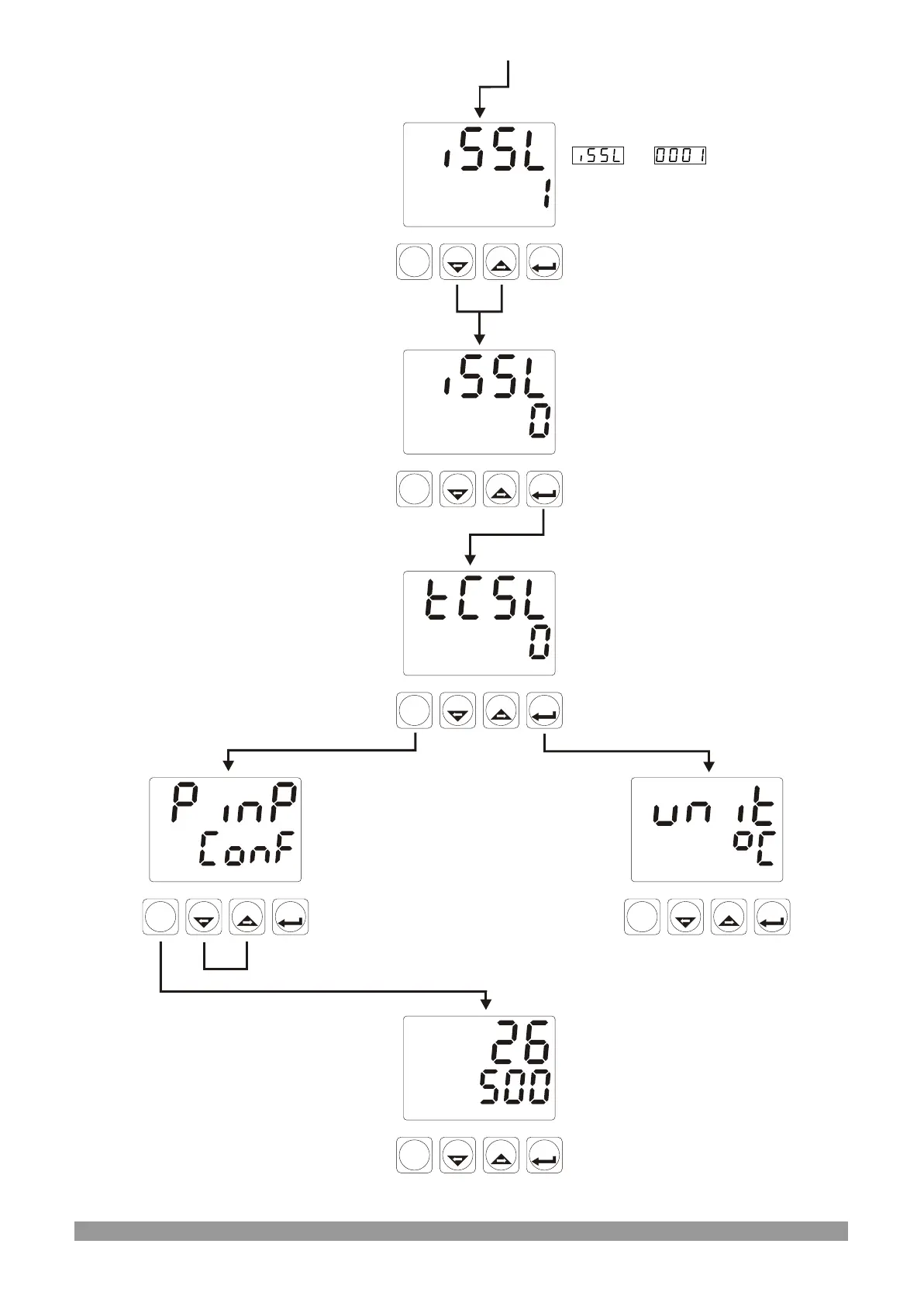
Unit Selection
For accessing to the
other menus, press
menu changing next and
back buttons.
TC Input Type Selection
Press Set button to access to
the next parameter
PINP CONF Menu
When Menu button is pressed,
technician can access to the
menu pages.
Operation Screen
Press Menu button for turning
to the operation screen
Process Input Type Selection
is means, input
type is RTD.
Process Input Type
Selection
TC input type is selected



 To Next Page