Need help?
Do you have a question about the EmpirBus Connect-50 and is the answer not in the manual?
Details safety precautions to avoid short circuits and hazards with flammable products.
Refers to accompanying documents like CE/FCC declaration and Digital Switching Terms of use.
Outlines network limitations, including the number of Connect-50 units and bus IDs.
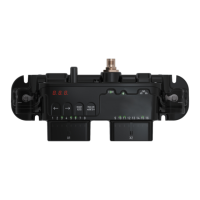
Describes how to mount the unit on a flat vertical surface using screws.
Details how power is supplied via M6 bolts and the maximum output.
Explains the NMEA2000 bus connector and other unit connectors.
Covers input channel configuration as digital or analog.
Discusses channels configurable as outputs based on model specifications.
Covers available serial interfaces like CAN-bus and RS485 depending on the model.
Details the requirement for unique bus IDs and how to read/set them on the Connect-50.
Provides steps to reset a channel's fuse after it has tripped.
Explains how to manually switch channels on or off during bus failures.


 To Next Page
 General