Adjusting Velocity
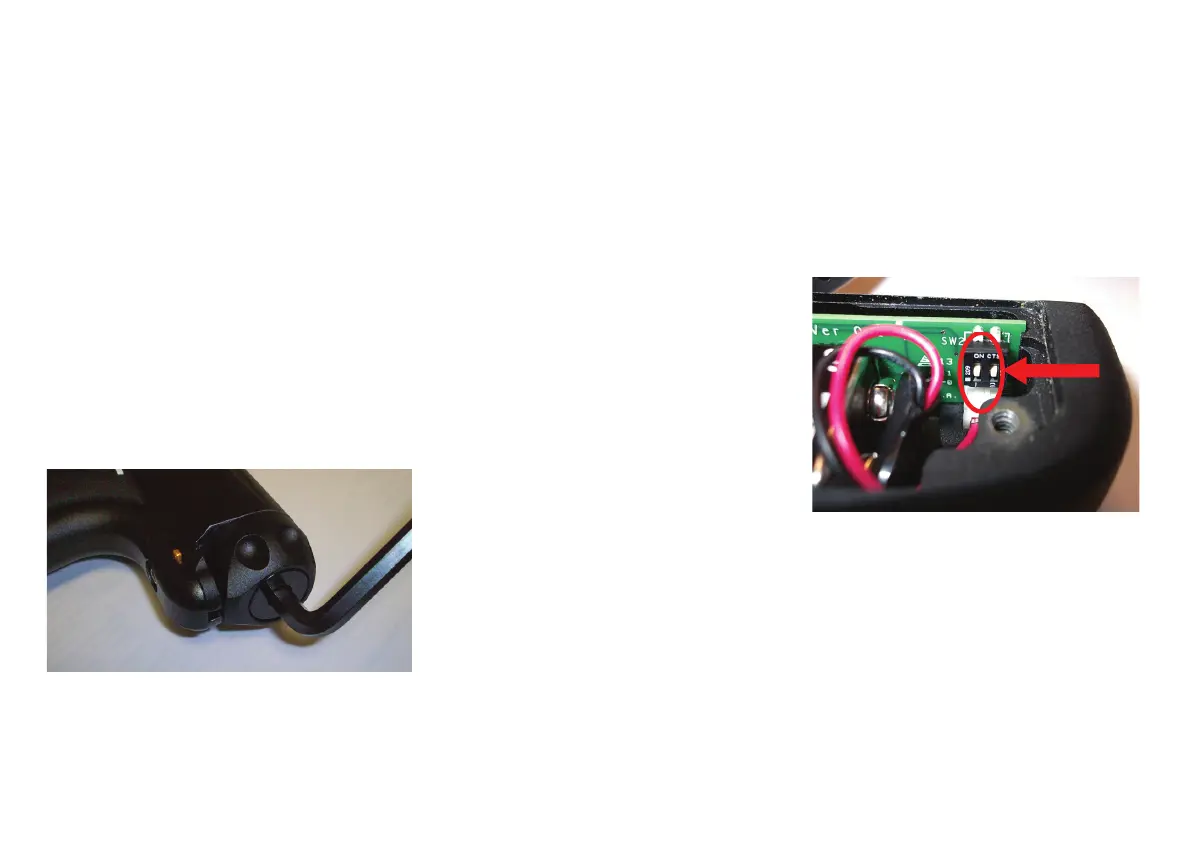
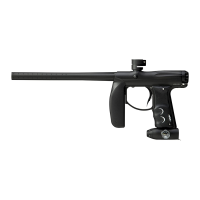
At the back of the Empire AXE main body is the bolt guide cap. The Allen screw in the
bolt guide cap serves as your velocity adjuster. Con rm that the pressure on your Em-
pire AXE bottom-line regulator is at 180–200 psi. Then you can increase or decrease
the velocity on your Empire AXE by tightening or loosening the velocity adjustment
screw, with a 1/4” inch Allen wrench; see Fig. 10.2.
• To increase (+) velocity, unscrew or loosen the velocity adjustment screw by
turning it counter-clockwise. Rotate the velocity adjustment screw counter-
clockwise in small increments (1/4 turn or less), stopping between slight turns to
test velocity, until desired velocity is achieved. Do not back the adjuster out passed
being ush. Stop if you hear an air leak, and adjust back in a 1/4 turn. A paintball
specifi c radar chronograph should be used to accurately measure your velocity.
• To decrease (-) velocity, tighten or screw-in the velocity adjustment screw by
turning it clockwise. Rotate the velocity adjustment screw clockwise in small
increments (1/4 turn or less), stopping between slight turns to test velocity, until
desired velocity is achieved. A paintball-specifi c radar chronograph should be
used to accurately measure your markers velocity.
11. BOARD SETTINGS AND FUNCTIONS
The electronic board features several modes and functions that are listed below. The
board is located inside the front foregrip of the marker. Before changing or adjusting
any of the board functions, remove the propellant source from the AXE and install a
barrel blocking device.
The board inside your AXE features 4 ring modes and 6 adjustable functions. It uses
a 3 color LED indicator on the backside of the front foregrip to indicate functions and
modes during programming.
TOURNAMENT LOCK
Tournament lock is a feature
that prevents the marker from
entering the Settings Mode
while in the fi eld, to allow
the marker to be tournament
legal. See your tournament’s
rule book for an explanation
on what is required to lock
your marker. Tournament
Lock can be turned on/off by
using the dip switch 1 located
on the inside of the fore grip near the bottom of the circuit board. The battery door
must be removed to access the switch. Flip dip switch #1 to the ON (UP when laying
fl at) position to activate the Tournament Lock. When tournament lock is ON, Settings
Mode cannot be activated
SETTINGS MODE
The AXE must be Off and the Tournament Lock must be Off to begin managing the
settings and functions. To activate the marker in Settings Mode, press and hold the
Trigger, then press and hold the button on the back side of the fore grip. The LED
will cycle through an array of colors to indicate the Settings mode is active. You may
now release the trigger and the button. Once the LED is done cycling you are ready to
navigate through settings mode.
(Fig. 10.2)
Notes:
• This marker was designed with safety and safety standards in mind. If you attempt
to shoot paintballs at a higher velocity than established safety standards, the
marker may not function properly.
• Check the velocity every time before using your Empire AXE.


 To Next Page