4. Place electrodes on skin:
Before applying electrodes, be sure that the skin surface over which electrodes are placed is thor-
oughly cleaned and dried. Apply electrodes to the exact site indicated by your physician following
the instruction included with the electrodes labeling. Make sure that the electrodes are placed firmly
11.0 | Instructions For Use continued
to skin and make good contact between the skin and the electrodes. Place the electrodes over the
skin; attach them properly, firmly and evenly.
5. Treat as directed by prescribing clinician:
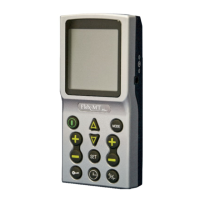
• Press the ON/OFF button to turn unit on. Activated Controls will be visible on LCD screen.
Press Mode to select appropriate stimulation mode (5 TENS Options, 2 EMS options).
• Press Set to select unit output for the following as directed by clinician:
- pulse width, pulse rate, ramp time, on time and o time
- adjust to the desired setting by pressing the triangular increase/decrease button.
• Choose Symmetric or Asymmetric waveform by pressing waveform button in lower right
corner of the unit.
• Press the Timer button to set time. Adjust in increments of 5 minutes up to 90, or continuous
by repeatedly pressing the triangular increase/decrease button.
• Adjust the Amplitude (pulse intensity) of Channel 1 and/or Channel 2 as directed by
your clinician.
• To discontinue treatment for any timer setting, press the ON/OFF button.
20


 To Next Page