36
3.6 Meter configuration
Configuration is carried out according to the САНТ.411152.107-05.1 РП, which is available at the manufacturer’s
website www.energomera.ru/ru/products/meters/ce308-all
4 READING THE METER
The meter can be read both manually and in the automated mode.
In the automated mode, full information on energy consumption can be obtained using a PC or AMI system via
the interface (see САНТ.411152.107-05.1 РП).
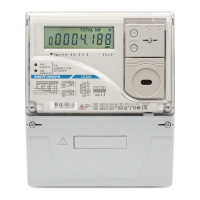
In the manual mode, data is displayed on the LCD in a window eight decimal places wide (with a decimal point).
4.1 Displaying information on the LCD
To meet the requirements of IEC 62052-11:2003 to the counting mechanism for meters of various versions,
various display options of the counting mechanism on the LCD were selected (Table 4.1). Due to the fact that the
meter keeps records on the primary side, the display window of the counting mechanism automatically shifts to the
left by an amount proportional to the power transformation ratio (KP = KV • KC), setting the position of the decimal
point and introducing the necessary multiplier to display energy (power), voltage and current, respectively.
An example of displaying energy window on the LCD of a transformer connection meter 57.7 V 5A is given in
Table 4.1.


 To Next Page