Step
4-1
Intel
EN
DE
FR
IT
ES
PL
TN
CN
ID
JP
KR
RU
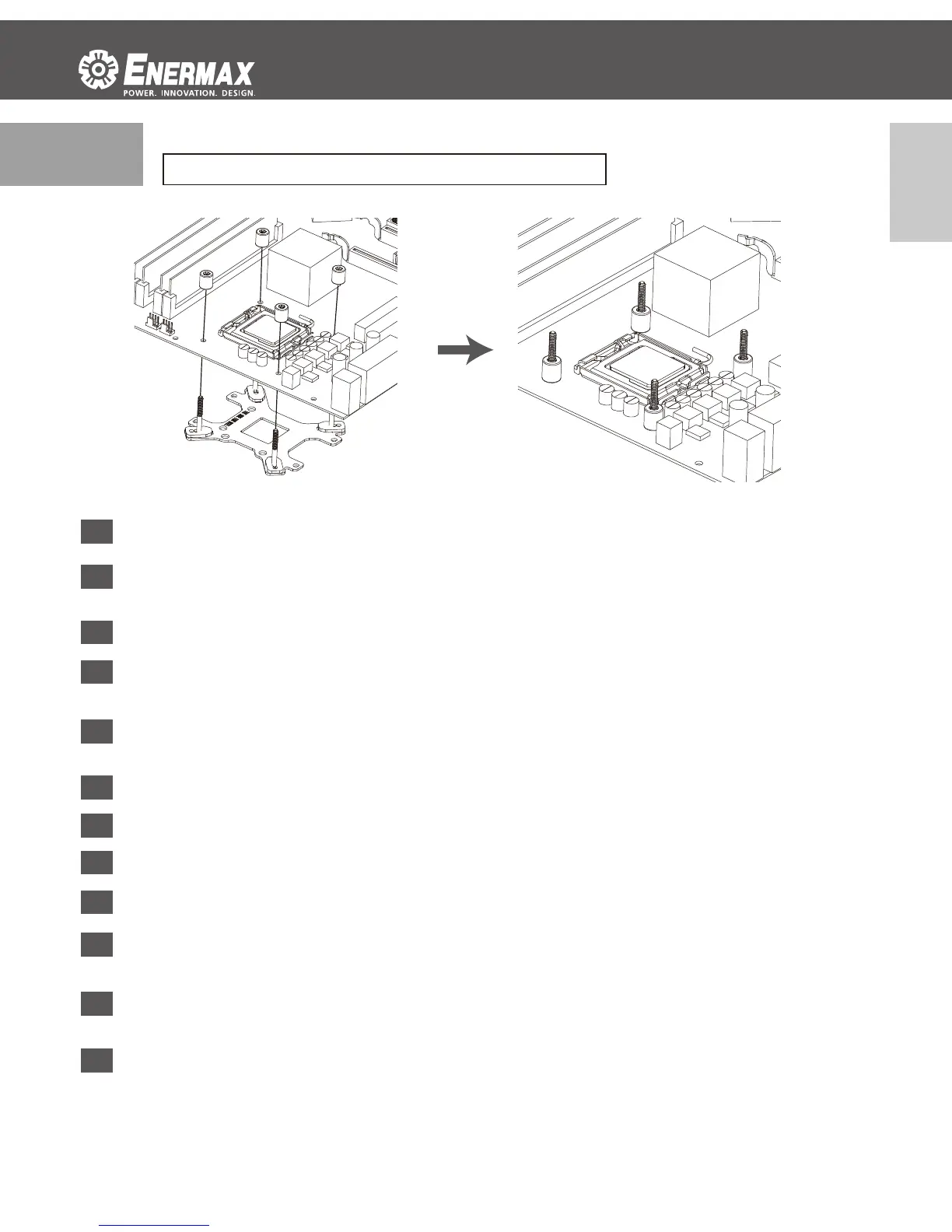
Install the Intel back plate on to the back of motherboard; fix the back plate with the stand-off
Befesgen Sie die Intel-Backplate auf der Mainboard-Rückseite. Schrauben Sie die Backplate
mit den zugehörigen Abstandshaltern fest.
Installez la plaque arrière Intel sous la carte-mère à l’aide des vis du support
Installare la piastra posteriore Intel nella parte posteriore della scheda madre; fissare la piastra
posteriore con il montante
Instalar la placa posterior Intel en la parte posterior de la placa madre, fijar la placa posterior
con el tornillo de pilar.
Umieść płytę mocującą pod płytą główną i wkręć za pomocą nakrętek mocujących.
將Intel強化背板以套筒固定於主板背面
将
Intel强化背板以套筒固定于主板背面
Intel用バックプレートをマザーボードの裏側に配置し、専用ネジで固定して下さい。
Intel 백 플레이트를 마더보드 후면에 설치하십시오. 백 플레이트를 지지대로
고정합니다.
Pasang back plate intel pada bagian belakang motherboard, kencangkan back plate dengan
stand off
Установите крепёжную пластину «Intel» на материнской плате, затем закрепите
крепёжную пластину с помощью винтов
*LGA775/1150/1155/1156/1366
- 9 -



 To Next Page